
-
Contents
-
Table of Contents
-
Troubleshooting
-
Bookmarks
Quick Links
6 Riders motorcycle multi-interphone
USER MANUAL
Cool multifunctional communication tool for motorcyclists !!
Summary of Contents for Rider 6 Riders
-
Page 1
6 Riders motorcycle multi-interphone USER MANUAL Cool multifunctional communication tool for motorcyclists !! -
Page 2: Main Features
Main Features: Communication in riders, one rider can pair with 5 riders, and can choose which person of the group to talk at a time. real full duplex wireless communication in riders by bluetooth system Maximum talking range 1000 meters…
-
Page 3
Bluetooth profile enables safe automatic handfree answering of the phone call automatically. It also offers a call rejecting function. —receive the cellphone calls even you do not need to press any button, you just need to rider your bike normal, the process of receiving call will be automatic, after ring on of the call about 5 seconds , it will receive the call automatically. -
Page 4
Components of retail box Component Parts Number 6RMI headset main part 6RMI -001 Clip for mounting the main unit 6RMI -002 Speakers & microphone & audio plug 6RMI -003 AC &USB Charger (AC110V-220V / DC OUTPUT 5V) 6RMI -004 2.5mm to 3.5mm audio adapter cable 6RMI -005 User manual 6RMI -006… -
Page 5
Clip & hanging-hole for mounting the main 6RMI unit Clip/Inserted plate/Spacer Clip with sticker for option Speakers/Boom Microphone/audio plug ———————————————————————— 4 ———————————————————————… -
Page 6
The AC & USB Charger Note: Different country may has different adaptor Before using: Charging the 6RMI Before using this device, Please charge the 6RMI main device at least three hours. We have provided you with the ability to charge the system via the USB port of your computer or if you are away on a trip, you can use the supplied Multi-voltage USB power adapter . -
Page 7
Carefully take the helmet off BUT don’t move your thumb from its position inside the helmet. Look at where your thumb it ! this place marks the centre of the ear speaker ! Mount the ———————————————————————— 6 ———————————————————————… -
Page 8: Operation
Note: You must have a Bluetooth enabled phone to “Pair” with the 6RMI The rider and pillion pairing their headsets with their respective mobile phone should be at different time, Before using the 6RMI, please familiarize yourself with Bluetooth function of your cell phone. Read…
-
Page 9
5) The cell phone will ask you to input a password to enable this connection , when prompted input password : 0000 (four zeros) 6) Your phone will confirm that pairing has succeeded. Note that the only light showing on the headset is now the blue one and it will flash once every 5 seconds… -
Page 10: Interphone Function
You could pair your 6RMI with maximum total five 6RMIs , you also could only pair with one 6RMI. c. You could define other five 6RMIs as rider A , rider B, rider C, rider D, rider E as you like.
-
Page 11: Music Function
6RMI key on your 6RMI (if you define the another 6RMI as rider B) and hold the C key (if rider B define your 6RMI as rider C) on rider B until the red & blue LED of the two pairing BIM’s flash, short press the…
-
Page 12
Play the MP3 , you can listen to the music on your 6RMI 6) listen to audio navigation info from your GPS via external bluetooth transmitter The way is similar to 5) above. 7) listen to stereo music from MP3 which with a built in bluetooth transmitter please familiarize yourself with Bluetooth function of your Bluetooth enabled MP3(this MP3 must has Bluetooth transmitting function). -
Page 13: Troubleshooting
Phone/Play key, they will connect each other. or see the below 8. 6. can not connect with your mobile phone This 6RMI can connect with a major of bluetooth enabled cellphone of main brand, but we don’t undertake that it can connect with all cell phone.
-
Page 14
·UP to 7 hours time when listening to music · 500 mAh Li Polymer battery ·Standby time: 120 hours ·Charging time:~ 3 hours ·Chip brand: CSR SPECIAL FEATURE ·All weather, rain and snow resistance ————————————————————————— 13 ——————————————————————— Thank you for using the 6 Riders Multi-Interphone ! -
Page 15
6 Riders motorcycle multi-interphone ————————————————————————— 14 ———————————————————————…
This manual is also suitable for:
6rmi
We will describe this communications kit as 6 R( Riders ) M(Multifunctional) I (Intercom)
This 6RMI can either be used for rider or for pillion.
This 6RMI can connect with three kinds of bluetooth devices: a bluetooth enabled cell phone, five 6RMI (or: four
riders and 1 pillion), an audio source which with a built in or a external audio bluetooth transmitter.
This 6RMI is a multifunctional device for motorcyclists and skiers, it can be used:
1) As a handfree bluetooth headset for cellphone calls,
while out riding, the auto answer feature of the internal Bluetooth profile enables safe automatic handfree
answering of the phone call automatically. It also offers a call rejecting function.
—receive the cellphone calls even you do not need to press any button, you just need to rider
your bike
as
normal, the process of receiving call will be automatic, after ring on of the call about 5 seconds , it
will receive the call automatically.
2) As a two way wireless full duplex interphone in
Any rider could select
One rider can connect with 5 riders !
The maximum communication range over a high clear line of sight path can reach
(this maximum range is not
Typical effective range in city is approximately 700m. Please note that actual range will depend on weather
conditions, terrain, presence of obstacles i.e. a large vehicle , buildings non line of sight etc.
Unlike a one-way walkie talkie, which is only half duplex i.e. it can not speak and listen simultaneously, the 6RMI
offers real-time talking like a normal telephone.
It can connect with 5 other riders or connect with anther rider and his/her pillion.
The rider can chose which person to talk with
The working speed can be up to 120Km !
3) As a wireless bluetooth stereo music receiver and speaker, this 6RMI has EDR and A2DP profile , with EDR
and A2DP profile it can offer another important function— listening to stereo music from A2DP enabled
cellphone,MP3 or navigation audio information from GPS(this MP3 or GPS should has a built in audio bluetooth
transmitter)
4) As a bluetooth headset for receiving GPS navigation audio instructions ( this GPS should have a built in
bluetooth transmitter)
5) As the speakers of your MP3/GPS
If your MP3 or GPS is not Bluetooth transmitting enabled and you have not a Bluetooth AV dongle, this 6RMI also
offers another method of listening to the stereo music/audio info— the simple wired method. Plug the audio source
directly into the 6RMI via the 2.5mm-3.5 mm stereo connection cable.
————————————————————————— 2 ———————————————————————
one of
5 riders to talk at a time.
guaranteed).
6
riders or between rider & pillion,
1000m !
FODSPORTS SUPPORT
Which Unit Do You Need Help With?
Fodsports Intercom
GPS FAQs & Maps
Fodsports Motorcycle Communication Headsets User Manual
2 Ways Helmet Intercom User Manual
Group Talk Helmet Intercom User Manual
Fodsports Helmet Speaker

F1 Motorcycle Helmet Bluetooth Speaker
Fodsports Motorcycle GPS User Manual
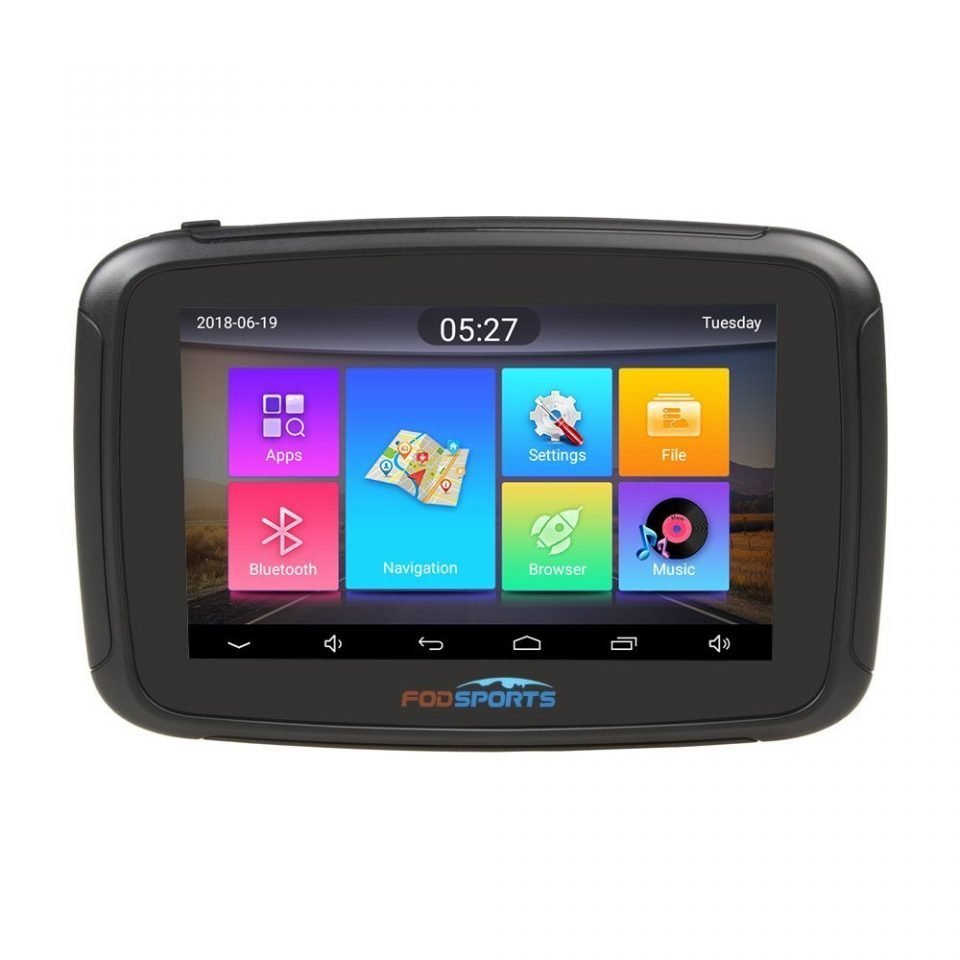
5 inch Motorcycle GPS M5S Pro
Fodsports Motorcycle GPS Map Downloads
Products FAQ
Can’t find what you need
To contact Customer Service, please
SEND US A FORM
Operation hours: Mon -Fri: 9:00 AM-6:00 PM (GMT)
We use cookies on our website to give you the most relevant experience by remembering your preferences and repeat visits. By clicking “Accept All”, you consent to the use of ALL the cookies. However, you may visit «Cookie Settings» to provide a controlled consent.
Опробовав переговорки в деле, что оказалось очень удобно (www.drive2.ru/l/488942926341079810/), задумался о расширении связи на третьего члена экипажа, ибо чаще всего втроем ездим на соревнования.
Как ранее писал, изначально были приобретены переговорки типа V6, которые полный дуплекс (конференц связь) поддерживают одновременно только с двумя модулями. Для дуплекса трех или четырех модулей одновременно надо приобретать дополнительно тип V4.
Какие конфигурации возможны:
1. V6 + V6
2. V6 + V6 + V4
3. V6 + V6 + V4 + V4
4. V4 + V4 + V4 +V4
Учитывая стоимость V6 около 2,5 тр, а V4 — около 4,5 можно прикинуть, какую конфигурацию собрать дешевле.
Был приобретен модуль V4, таким образом конфигурация стала V6 + V6 + V4.
Работает замечательно.
Единственно, заметил странную особенность: если V4 воткнуть наушники от V6, то звук от других модулей слышен в разных ушах. Если V4 воткнуть свои наушники, то все прекрасно. Почему так происходит непонятно, т.к. визуально провода и наушники идентичные. Может в разъеме контакт плохой — когда заряжал V4, несколько раз подоткнул штеккер и покрутил, пока зарядка не пошла. В целом это ерунда.
Наушники в шлем вшил аналогично, как и в первом шлеме (www.drive2.ru/l/488942926341079810/).

Приложу инструкцию (в то числе для себя, чтобы не забыть).
Как соединить V6 + V6 + V4:
1. Включаем все три модуля — светодиоды моргают вразнобой синим цветом
2. На V4 нажимаем одновременно кнопки А и В — это сбросит ему предыдущие записи.
3. Нажимаем и держим кнопки: с мотоциклистом на первом V6 и А на V4 до того, пока светодиоды не будут моргать красно-синим. Это режим поиска.
4. Нажимаем на первом V6 кнопку с мотоциклистом. На нем светодиод начинаем моргать синим.
5. Через некоторое время на V4 светодиод начинает моргать синим и синхронно с первым V6 — они соединились.
6. Нажимаем и держим кнопки: с мотоциклистом на втором V6 и В на V4 до того, пока светодиоды не будут моргать красно-синим. Это режим поиска.
7. Нажимаем кнопку В на V4. На нем светодиод начинаем моргать синим.
8. Через некоторое время светодиод на втором V6 начинает моргать синим и синхронно с V4 — они соединились.
9. Нажать кнопку с мотоциклистом на первом V6. синие диоды начнут моргать на нем и V4 синхронно.
10. Нажать кнопку с мотоциклистом на втором V6. синие диоды начнут моргать на нем, первом V6 и V4 синхронно.
11. Все три модуля соединены.
Table of Contents for VnetPhone Riders V6:
-
Headsets The Jabra Wave headset is connected to the Interphone via the 3.5mm audio socket. It must be connected using the small adapter cable supplied (only one adapter cable though !). The eargel can be rotated through 180 degrees to allow you to wear the headset in either right or left ear. The acoustic air tube earpiece should also be connected to the interphone with an adapter. The earpiece can be rotated through 180 degrees to fit in either ear. Charging the Interphone A full charge should last approximately 6-7 hou
-
To connect THREE units, using the coach (V4) interphone. Reset the pairings Start with the V4 (Coach) unit Press and hold the INTERPHONE/ON button until the LED flashes blue Reset any existing pairing by pressing and holding both A and B buttons until the LED flashes red before switching to flashing blue. Connect the first pair Press and hold
-
Connect the third unit Turn the V4 unit back on by pressing and holding the INTERPHONE/ON button until the LED flashes blue Press and hold button B on the V4 unit whilst at the same time press and hold the INTERPHONE button on the second V6 unit until the LED on both units are flashing red and blue continuously. Press button B on the V4 unit — the LED on the V4 unit will flash blue as it seeks to pair with the V6. When the units have paired, both units wi
-
INTERPHONE INSTRUCTIONS There are only four buttons that you need to consider (Volume + and -, Reset/Off and the Interphone button). To turn on and connect two (V6) units: Start with both V6 units turned off. (Press the RESET button to turn off) On both units simultaneously, press and hold the INTERPHONE button until the LED flashes red and blue continuously. Release the INTERPHONE buttons when you see both units flashing red and blue. On the first unit, press the INTERPHONE button. The LED will flash blue as it seeks to pair with the other. Wait
Questions, Opinions and Exploitation Impressions:
You can ask a question, express your opinion or share our experience of VnetPhone Riders V6 device using right now.