
Посмотреть инструкция для Hikvision DS-7716NI-K4/16P бесплатно. Руководство относится к категории видеорегистраторы, 2 человек(а) дали ему среднюю оценку 8.8. Руководство доступно на следующих языках: английский. У вас есть вопрос о Hikvision DS-7716NI-K4/16P или вам нужна помощь? Задайте свой вопрос здесь
- Legal Information
- Regulatory Information
- Applicable Model
- Symbol Conventions
- Safety Instruction
- Preventive and Cautionary Tips
- Chapter 1 Startup
- Chapter 2 Live View
- Chapter 3 Playback
- Chapter 4 Search File
- Chapter 5 Configuration (Easy Mode)
- Chapter 6 Configuration (Expert Mode)
- Chapter 7 Maintenance
- Chapter 8 Alarm
- Chapter 9 Web Operation
- Chapter 10 Appendix

Главная
| Hikvision | |
| DS-7716NI-K4/16P | DS-7716NI-K4/16P | |
| видеомагнитофон | |
| 6954273635251 | |
| английский | |
| Руководство пользователя (PDF), Краткое руководство пользователя (PDF) |
Производительность
| Входные видео каналы | 16 канала |
| Поддерживаемые разрешения | 4096 x 2160, 3840 x 2160, 2560 x 1440, 1920 x 1080, 1600 x 1200, 1280 x 1024, 1280 x 720 |
| Поддерживаемый видеоформат | H.264, H.264+, H.265, H.265+, MPEG4 |
| Входные каналы сигнала тревоги | 16 |
| Выходные каналы сигнала тревоги | 4 |
| Максимальное разрешение | 4096 x 2160 пикселей |
| Входная пропускная способность | 160 Мбит/с |
| Выходная пропускная способность | 160 Мбит/с |
| Поддерживаемые форматы аудио | G.711 A-law, G.711 μ-law, G.726 |
Устройства хранения данных
| Число установленных жестких дисков | 0 |
| Емкость жесткого диска | — GB |
| Количество поддерживаемых жестких дисков | 4 |
| Максимальная емкость накопителей | 8 TB |
| Интерфейс жесткого диска | SATA |
Порты и интерфейсы
| Количество портов Ethernet LAN ( RJ-45) | 1 |
| Питание по Ethernet (PoE) | Да |
| Количество портов PoE | 16 |
| Скорость передачи данных Ethernet LAN | 10,100,1000 Мбит/с |
| RS-485 порты | 1 |
| Количество портов USB 2.0 | 2 |
| Количество портов USB 3.2 Gen 1 (3.1 Gen 1) Type-A | 1 |
| Стандарты сети | IEEE 802.3af, IEEE 802.3at |
| Поддерживаемые сетевые протоколы | TCP/IP, DHCP, IPv4, IPv6, DNS, DDNS, NTP, RTSP, SADP, SMTP, SNMP, NFS, iSCSI, ISUP, UPnP, HTTP, HTTPS |
| Количество HDMI портов | 1 |
| Количество выходов VGA (D-Sub) | 1 |
| Аудио входы RCA | 1 |
| Аудио выходы RCA | 1 |
| RS-232 порты | 1 |
Энергопитание
| Общий объем Power over Ethernet (PoE) | 200 W |
| Входящее напряжение сети | 100 — 240 V |
| Потребляемая мощность (в обычном режиме) | 20 W |
| Частота входящего переменного тока | 50 — 60 Hz |
Условия эксплуатации
| Диапазон температур при эксплуатации | -10 — 55 °C |
| Диапазон относительной влажности при эксплуатации | 10 — 90 % |
Вес и размеры
| Ширина | 445 mm |
| Глубина | 400 mm |
| Высота | 75 mm |
| Вес | 5000 g |
Свойства
| Цвет товара | Черный |
| Сертификация | FCC Part 15 Subpart B, ANSI C63.4-2014nCE EN 55032: 2015, EN 61000-3-2, EN 61000-3-3, EN 50130-4, EN 55035: 2017 |
Характеристики беспроводной LAN
показать больше
Не можете найти ответ на свой вопрос в руководстве? Вы можете найти ответ на свой вопрос ниже, в разделе часто задаваемых вопросов о Hikvision DS-7716NI-K4/16P.
Какой вес Hikvision DS-7716NI-K4/16P?
Какие сертификаты Hikvision DS-7716NI-K4/16P имеет?
Какая высота Hikvision DS-7716NI-K4/16P?
Какая ширина Hikvision DS-7716NI-K4/16P?
Какая толщина Hikvision DS-7716NI-K4/16P?
Инструкция Hikvision DS-7716NI-K4/16P доступно в русский?
Не нашли свой вопрос? Задайте свой вопрос здесь
- Manuals
- Brands
- HIKVISION Manuals
- Network Hardware
- DS-7716NI-K4/16P
Manuals and User Guides for HIKVISION DS-7716NI-K4/16P. We have 6 HIKVISION DS-7716NI-K4/16P manuals available for free PDF download: User Manual, Quick Start Manual
HIKVISION DS-7716NI-K4/16P User Manual (324 pages)
Brand: HIKVISION
|
Category: Network Hardware
|
Size: 17.1 MB
Table of Contents
-
Regulatory Information
3
-
Safety Instructions
6
-
Product Key Features
7
-
Table of Contents
12
-
Chapter 1 Introduction
19
-
Front Panel
19
-
DS-9600NI Series
19
-
DS-8600NI-I8 Series
23
-
DS-8600NI-K8 and DS-7700NI Series
27
-
DS-7600NI Series
29
-
-
IR Remote Control Operations
29
-
USB Mouse Operation
35
-
Input Method Description
36
-
Rear Panel
37
-
DS-9600NI and DS-8600NI Series
37
-
DS-7600NI Series
38
-
DS-7700NI Series
41
-
-
-
Chapter 2 Getting Started
43
-
Device Startup and Activation
43
-
Starting up and Shutting down the NVR
43
-
Activating Your Device
44
-
Using the Unlock Pattern for Login
46
-
Login and Logout
49
-
Resetting Your Password
50
-
-
Using Wizard for Basic Configuration
51
-
Adding and Connecting the IP Cameras
57
-
Activating the IP Camera
57
-
Adding the Online IP Cameras
58
-
Editing the Connected IP Cameras and Configuring Customized Protocols
63
-
Editing IP Cameras Connected to the Poe Interfaces
67
-
Configuring Poe Interface
69
-
-
-
Chapter 3 Live View
71
-
Introduction of Live View
71
-
Operations in Live View Mode
72
-
Front Panel Operation on Live View
73
-
Using the Mouse in Live View
73
-
Using an Auxiliary Monitor
74
-
Quick Setting Toolbar in Live View Mode
75
-
Fisheye Expansion View
77
-
-
Adjusting Live View Settings
79
-
Channel-Zero Encoding
81
-
-
Chapter 4 PTZ Controls
82
-
Configuring PTZ Settings
82
-
Setting PTZ Presets, Patrols & Patterns
84
-
Customizing Presets
84
-
Calling Presets
84
-
Customizing Patrols
85
-
Calling Patrols
86
-
Customizing Patterns
87
-
Calling Patterns
88
-
Customizing Linear Scan Limit
88
-
Calling Linear Scan
89
-
One-Touch Park
90
-
-
PTZ Control Panel
92
-
-
Chapter 5 Recording and Capture Settings
94
-
Configuring Parameters
94
-
Configuring Recording and Capture Schedule
98
-
Configuring Motion Detection Recording and Capture
102
-
Configuring Alarm Triggered Recording and Capture
104
-
Configuring VCA Event Recording
106
-
Manual Recording and Continuous Capture
108
-
Configuring Holiday Recording and Capture
110
-
Configuring Redundant Recording and Capture
112
-
Configuring HDD Group for Recording and Capture
114
-
Files Protection
115
-
Locking the Recording Files
115
-
Setting HDD Property to Read-Only
117
-
-
-
Chapter 6 Playback
119
-
Playing Back Record Files
119
-
Instant Playback
119
-
Playing Back by Normal Search
119
-
Playing Back by Smart Search
123
-
Playing Back by Event Search
126
-
Playing Back by Tag
128
-
Playing Back by Sub-Periods
130
-
Playing Back by System Logs
131
-
Playing Back External File
133
-
Playing Back Pictures
134
-
-
Auxiliary Functions of Playback
135
-
Playing Back Frame by Frame
135
-
Thumbnails View
135
-
Fast View
136
-
Digital Zoom
136
-
File Management
137
-
-
-
Chapter 7 Backup
138
-
Backing up Record Files
138
-
Quick Export
138
-
Backing up by Normal Video/Picture Search
140
-
Backing up by Event Search
143
-
Backing up Video Clips or Captured Playback Pictures
144
-
-
Managing Backup Devices
145
-
Hot Spare Device Backup
146
-
Setting Hot Spare Device
146
-
Setting Working Device
147
-
Managing Hot Spare System
147
-
-
-
Chapter 8 Alarm Settings
150
-
Setting Motion Detection Alarm
150
-
Setting Sensor Alarms
152
-
Detecting Video Loss Alarm
155
-
Detecting Video Tampering Alarm
157
-
Handling Exceptions Alarm
159
-
Setting Alarm Response Actions
160
-
Triggering or Clearing Alarm Output Manually
164
-
-
Chapter 9 POS Configuration
165
-
Configuring POS Settings
165
-
Configuring Overlay Channel
170
-
Configuring POS Privacy Information Filtering
171
-
Configuring POS Alarm
171
-
-
Chapter 10 VCA Alarm
174
-
Face Detection
174
-
Vehicle Detection
176
-
Line Crossing Detection
177
-
Intrusion Detection
180
-
Region Entrance Detection
182
-
Region Exiting Detection
183
-
Unattended Baggage Detection
183
-
Object Removal Detection
184
-
Audio Exception Detection
184
-
Sudden Scene Change Detection
185
-
Defocus Detection
186
-
PIR Alarm
186
-
-
Chapter 11 VCA Search
187
-
Face Search
187
-
Behavior Search
188
-
Plate Search
190
-
People Counting
191
-
Heat Map
192
-
Advanced Search
194
-
-
Chapter 12 Network Settings
196
-
Configuring General Settings
196
-
Configuring Advanced Settings
198
-
Configuring Hik-Connect
198
-
Configuring DDNS
200
-
Configuring NTP Server
201
-
Configuring SNMP
202
-
Configuring more Settings
203
-
Configuring HTTPS Port
204
-
Configuring Email
206
-
Configuring NAT
208
-
Configuring Virtual Host
210
-
-
Checking Network Traffic
211
-
Configuring Network Detection
213
-
Testing Network Delay and Packet Loss
213
-
Exporting Network Packet
213
-
Checking the Network Status
214
-
Checking Network Statistics
215
-
-
-
Chapter 13 RAID
217
-
Configuring Array
217
-
Enable RAID
218
-
One-Touch Configuration
219
-
Manually Creating Array
220
-
-
Rebuilding Array
223
-
Automatically Rebuilding Array
223
-
Manually Rebuilding Array
224
-
-
Deleting Array
226
-
Checking and Editing Firmware
227
-
-
Chapter 14 HDD Management
228
-
Initializing Hdds
228
-
Managing Network HDD
230
-
Managing Esata
232
-
Managing HDD Group
233
-
Setting HDD Groups
233
-
Setting HDD Property
234
-
-
Configuring Quota Mode
236
-
Configuring Disk Clone
238
-
Checking HDD Status
240
-
HDD Detection
242
-
Configuring HDD Error Alarms
244
-
-
Chapter 15 Camera Settings
245
-
Configuring OSD Settings
245
-
Configuring Privacy Mask
246
-
Configuring Video Parameters
248
-
-
Chapter 16 NVR Management and Maintenance
249
-
Viewing System Information
249
-
Searching & Exporting Log Files
250
-
Importing/Exporting IP Camera Info
252
-
Importing/Exporting Configuration Files
253
-
Upgrading System
254
-
Upgrading by Local Backup Device
254
-
Upgrading by FTP
254
-
-
Restoring Default Settings
256
-
-
Chapter 17 Others
257
-
Configuring RS-232 Serial Port
257
-
Configuring General Settings
258
-
Configuring DST Settings
260
-
Configuring more Settings
261
-
Managing User Accounts
262
-
Adding a User
262
-
Deleting a User
265
-
Editing a User
265
-
-
-
Chapter 18 Appendix
268
-
Specifications
268
-
Ds-9600Ni-I8
268
-
Ds-9600Ni-I16
270
-
Ds-8600Ni-I8
272
-
Ds-7600Ni-I2
274
-
Ds-7600Ni-I2/P
276
-
Ds-7700Ni-I4
278
-
Ds-7700Ni-I4/P
280
-
Ds-8600Ni-K8
281
-
Ds-7700Ni-K4
284
-
Ds-7700Ni-K4/P
286
-
Ds-7600Ni-K2
288
-
Ds-7600Ni-K2/P
290
-
Ds-7600Ni-K1
292
-
Ds-7604Ni-K1/4P
294
-
-
Glossary
296
-
Troubleshooting
297
-
Summary of Changes
305
-
Version 3.4.92
305
-
Version 3.4.91
305
-
Version 3.4.90
305
-
Version 3.4.80
305
-
Version 3.4.70
306
-
Version 3.4.6
306
-
Version 3.4.2
306
-
Version 3.3.9
307
-
Version 3.3.7
307
-
Version 3.3.6
307
-
Version 3.3.4
308
-
-
List of Compatible IP Cameras
309
-
List of Hikvision IP Cameras
309
-
List of Third-Party IP Cameras
319
-
List of IP Cameras Connected to Poe by Long Network Cable (100 — 300 M)
323
-
-
Advertisement
HIKVISION DS-7716NI-K4/16P User Manual (275 pages)
Brand: HIKVISION
|
Category: Network Hardware
|
Size: 16.1 MB
Table of Contents
-
Fcc Information
3
-
Regulatory Information
3
-
Safety Instruction
4
-
Product Key Features
7
-
Table of Contents
10
-
-
Chapter 1 Introduction
15
-
Front Panel
16
-
DS-9600NI Series
16
-
DS-8600NI and DS-7700NI Series
18
-
DS-7600NI Series
20
-
-
IR Remote Control Operations
20
-
USB Mouse Operation
24
-
Input Method Description
25
-
Rear Panel
26
-
DS-9600NI and DS-8600NI Series
26
-
DS-7600NI Series
27
-
DS-7700NI Series
29
-
-
-
Chapter 2 Getting Started
30
-
Starting up and Shutting down the NVR
31
-
Activating Your Device
32
-
Using the Unlock Pattern for Login
33
-
Configuring the Unlock Pattern
33
-
Logging in Via Unlock Pattern
35
-
-
Using Wizard for Basic Configuration
36
-
Login and Logout
41
-
User Login
41
-
User Logout
41
-
-
Adding and Connecting the IP Cameras
43
-
Activating the IP Camera
43
-
Adding the Online IP Cameras
44
-
Editing the Connected IP Cameras and Configuring Customized Protocols
48
-
Editing IP Cameras Connected to the Poe Interfaces
51
-
-
-
Chapter 3 Live View
54
-
Introduction of Live View
55
-
Operations in Live View Mode
56
-
Front Panel Operation on Live View
56
-
Using the Mouse in Live View
57
-
Using an Auxiliary Monitor
58
-
Quick Setting Toolbar in Live View Mode
58
-
Fisheye Expansion View
60
-
-
Adjusting Live View Settings
62
-
Channel-Zero Encoding
64
-
-
Chapter 4 PTZ Controls
65
-
Configuring PTZ Settings
66
-
Setting PTZ Presets, Patrols & Patterns
67
-
Customizing Presets
67
-
Calling Presets
67
-
Customizing Patrols
68
-
Calling Patrols
69
-
Customizing Patterns
70
-
Calling Patterns
70
-
Customizing Linear Scan Limit
71
-
Calling Linear Scan
72
-
One-Touch Park
72
-
-
PTZ Control Panel
74
-
-
Chapter 5 Recording and Capture Settings
75
-
Configuring Parameters
76
-
Configuring Recording and Capture Schedule
80
-
Configuring Motion Detection Recording and Capture
84
-
Configuring Alarm Triggered Recording and Capture
86
-
Manual Recording and Continuous Capture
88
-
Configuring Holiday Recording and Capture
89
-
Configuring Redundant Recording and Capture
91
-
Configuring HDD Group for Recording and Capture
93
-
Files Protection
94
-
Locking the Recording Files
94
-
Setting HDD Property to Read-Only
96
-
-
-
Chapter 6 Playback
98
-
Playing Back Record Files
99
-
Instant Playback
99
-
Playing Back by Normal Search
99
-
Playing Back by Smart Playback
102
-
Playing Back by Event Search
105
-
Playing Back by Tag
106
-
Playing Back by Sub-Periods
109
-
Playing Back by System Logs
109
-
Playing Back External File
111
-
Playing Back Pictures
112
-
-
Auxiliary Functions of Playback
114
-
Playing Back Frame by Frame
114
-
Thumbnails View
114
-
Fast View
115
-
Digital Zoom
115
-
File Management
116
-
-
-
Chapter 7 Backup
118
-
Backing up Record Files
119
-
Quick Export
119
-
Backing up by Normal Video/Picture Search
121
-
Backing up by Event Search
123
-
Backing up Video Clips or Captured Playback Pictures
124
-
-
Managing Backup Devices
125
-
Hot Spare Device Backup
126
-
Setting Hot Spare Device
126
-
Setting Working Device
127
-
Managing Hot Spare System
127
-
-
-
Chapter 8 Alarm Settings
130
-
Setting Motion Detection Alarm
131
-
Setting Sensor Alarms
133
-
Detecting Video Loss Alarm
136
-
Detecting Video Tampering Alarm
137
-
Handling Exceptions Alarm
139
-
Setting Alarm Response Actions
140
-
Triggering or Clearing Alarm Output Manually
143
-
-
Chapter 9 VCA Alarm
144
-
Face Recognition
145
-
Face Detection
145
-
Vehicle Detection
146
-
Line Crossing Detection
148
-
Intrusion Detection
150
-
Region Entrance Detection
152
-
Region Exiting Detection
153
-
Loitering Detection
153
-
People Gathering Detection
153
-
Fast Moving Detection
153
-
Parking Detection
154
-
Unattended Baggage Detection
154
-
Object Removal Detection
154
-
Audio Exception Detection
155
-
Sudden Scene Change Detection
156
-
Defocus Detection
156
-
PIR Alarm
156
-
-
Chapter 10 VCA Search
157
-
Face Search
158
-
Behavior Search
160
-
Plate Search
161
-
People Counting
162
-
Heat Map
163
-
-
Chapter 11 Network Settings
165
-
Configuring General Settings
166
-
Configuring Advanced Settings
168
-
Configuring HIK Cloud P2P
168
-
Configuring DDNS
168
-
Configuring NTP Server
173
-
Configuring SNMP
174
-
Configuring more Settings
174
-
Configuring HTTPS Port
175
-
Configuring Email
177
-
Configuring NAT
178
-
Configuring Virtual Host
181
-
-
Checking Network Traffic
182
-
Configuring Network Detection
184
-
Testing Network Delay and Packet Loss
184
-
Exporting Network Packet
184
-
Checking the Network Status
185
-
Checking Network Statistics
186
-
-
-
Chapter 12 RAID
188
-
Configuring Array
189
-
Enable RAID
190
-
One-Touch Configuration
190
-
Manually Creating Array
192
-
-
Rebuilding Array
194
-
Automatically Rebuilding Array
194
-
Manually Rebuilding Array
195
-
-
Deleting Array
197
-
Checking and Editing Firmware
198
-
-
Chapter 13 HDD Management
199
-
Initializing Hdds
200
-
Managing Network HDD
202
-
Managing Esata
204
-
Managing HDD Group
205
-
Setting HDD Groups
205
-
Setting HDD Property
206
-
-
Configuring Quota Mode
208
-
Configuring Disk Clone
210
-
Checking HDD Status
212
-
HDD Detection
214
-
Configuring HDD Error Alarms
216
-
-
Chapter 14 Camera Settings
217
-
Configuring OSD Settings
218
-
Configuring Privacy Mask
219
-
Configuring Video Parameters
220
-
-
Chapter 15 NVR Management and Maintenance
221
-
Viewing System Information
222
-
Searching & Exporting Log Files
223
-
Importing/Exporting IP Camera Info
225
-
Importing/Exporting Configuration Files
226
-
Upgrading System
227
-
Upgrading by Local Backup Device
227
-
Upgrading by FTP
227
-
-
Restoring Default Settings
229
-
-
Chapter 16 Others
230
-
Configuring RS-232 Serial Port
231
-
Configuring General Settings
232
-
Configuring DST Settings
234
-
Configuring more Settings
235
-
Managing User Accounts
236
-
Adding a User
236
-
Deleting a User
239
-
Editing a User
239
-
-
-
Chapter 17 Appendix
242
-
Specifications
243
-
Ds-9600Ni-I8
243
-
Ds-9600Ni-I16
244
-
Ds-7600Ni-I2
245
-
Ds-7600Ni-I2/P
246
-
Ds-7700Ni-I4
247
-
Ds-7700Ni-I4/P
248
-
Ds-8600Ni-K8
249
-
Ds-7700Ni-K4
250
-
Ds-7700Ni-K4/P
251
-
Ds-7600Ni-K2
252
-
Ds-7600Ni-K2/P
253
-
Ds-7600Ni-K1
254
-
Ds-7604Ni-K1/4P
255
-
-
Glossary
256
-
Troubleshooting
257
-
Summary of Changes
263
-
Version 3.4.6
263
-
Version 3.4.2
263
-
Version 3.3.9
263
-
Version 3.3.7
263
-
Version 3.3.6
264
-
Version 3.3.4
264
-
-
List of Compatible IP Cameras
265
-
List of Hikvision IP Cameras
265
-
List of Third-Party IP Cameras
272
-
-
HIKVISION DS-7716NI-K4/16P User Manual (324 pages)
Brand: HIKVISION
|
Category: Network Hardware
|
Size: 15.56 MB
Advertisement
HIKVISION DS-7716NI-K4/16P User Manual (275 pages)
Brand: HIKVISION
|
Category: Network Hardware
|
Size: 15.09 MB
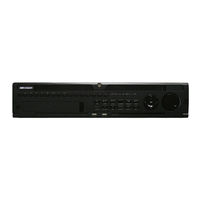
HIKVISION DS-7716NI-K4/16P Quick Start Manual (35 pages)
Brand: HIKVISION
|
Category: Network Hardware
|
Size: 2.42 MB
Table of Contents
-
Table of Contents
2
-
Fcc Information
4
-
Regulatory Information
4
-
Safety Instruction
5
-
Chapter1 Panels Description
8
-
Front Panel
8
-
DS-9600NI Series
8
-
DS-8600NI and DS-7700NI Series
10
-
DS-7600NI Series
12
-
-
Rear Panel
12
-
DS-9600NI and DS-8600NI Series
12
-
DS-7700NI Series
13
-
DS-7600NI Series
14
-
-
-
Chapter 2Installation And Connections
16
-
NVR Installation
16
-
Hard Disk Installation
16
-
DS-9600NI Series
16
-
Other Models
18
-
-
Connections
20
-
Alarm Input Wiring
20
-
Alarm Output Wiring
20
-
Using Alarm Connectors
20
-
Controller Connection
21
-
-
HDD Storage Calculation Chart
22
-
-
Chapter 3Menu Operation
23
-
Menu Structure
23
-
Startup and Shutdown
23
-
Activating Your Device
24
-
Using the Unlock Pattern for Login
25
-
Login and Logout
26
-
User Login
26
-
User Logout
27
-
-
Using the Setup Wizard
27
-
Network Settings
28
-
Adding IP Cameras
28
-
Live View
29
-
One-Touch RAID Configuration
30
-
Recording Settings
31
-
Playback
31
-
-
Chapter 4Accessing By Web Browser
33
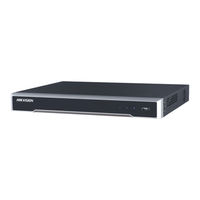
HIKVISION DS-7716NI-K4/16P Quick Start Manual (38 pages)
Network Video Recorder
Brand: HIKVISION
|
Category: DVR
|
Size: 2.34 MB
Table of Contents
-
Table of Contents
2
-
Chapter1 Panels Description
8
-
Front Panel
8
-
DS-9600NI Series
8
-
DS-7700NI Series
12
-
DS-7600NI Series
14
-
Rear Panel
14
-
DS-9600NI Series
14
-
DS-7700NI Series
16
-
DS-7600NI Series
17
-
-
Chapter 2 Installation and Connections
20
-
Installation
20
-
Hard Disk Installation
20
-
DS-9600NI Series
20
-
Other Models
22
-
Connections
24
-
Alarm Input Wiring
24
-
Alarm Output Wiring
24
-
Alarm Connection
25
-
Controller Connection
25
-
HDD Storage Calculation Chart
26
-
-
Chapter 3 Menu Operation
27
-
Start up Your Device
27
-
Activate Your Device
27
-
Configure Unlock Pattern for Login
28
-
Login to the System
29
-
Enter Wizard to Configure Quick Basic Settings
30
-
Network Settings
30
-
Add IP Cameras
31
-
Start Live View
32
-
One-Touch RAID Configuration
32
-
Recording Settings
33
-
Playback
34
-
-
Chapter 4 Access by Web Browser
36
Advertisement
Related Products
-
HIKVISION DS-7716NI-K4
-
HIKVISION DS-7716NI-ST Series
-
HIKVISION DS-7716NI-SP Series
-
HIKVISION DS-7716NI-I4
-
Hikvision DS-7716NI-Q4
-
HIKVISION DS-7716NI-I4(B)
-
HIKVISION DS-7716NI-I4/P(B)
-
HIKVISION DS-7716NI-I4/16PB
-
HIKVISION DS-7716NI-M4
-
HIKVISION DS-7716NI-E4/16P
HIKVISION Categories

Security Camera
DVR
Network Hardware
Intercom System
Security Sensors
More HIKVISION Manuals
- Manuals
- Brands
- HIKVISION Manuals
- Network Hardware
- DS-7716NI-K4
Manuals and User Guides for HIKVISION DS-7716NI-K4. We have 5 HIKVISION DS-7716NI-K4 manuals available for free PDF download: User Manual, Quick Start Manual
HIKVISION DS-7716NI-K4 User Manual (324 pages)
Brand: HIKVISION
|
Category: Network Hardware
|
Size: 17.1 MB
Table of Contents
-
Regulatory Information
3
-
Safety Instructions
6
-
Product Key Features
7
-
Table of Contents
12
-
Chapter 1 Introduction
19
-
Front Panel
19
-
DS-9600NI Series
19
-
DS-8600NI-I8 Series
23
-
DS-8600NI-K8 and DS-7700NI Series
27
-
DS-7600NI Series
29
-
-
IR Remote Control Operations
29
-
USB Mouse Operation
35
-
Input Method Description
36
-
Rear Panel
37
-
DS-9600NI and DS-8600NI Series
37
-
DS-7600NI Series
38
-
DS-7700NI Series
41
-
-
-
Chapter 2 Getting Started
43
-
Device Startup and Activation
43
-
Starting up and Shutting down the NVR
43
-
Activating Your Device
44
-
Using the Unlock Pattern for Login
46
-
Login and Logout
49
-
Resetting Your Password
50
-
-
Using Wizard for Basic Configuration
51
-
Adding and Connecting the IP Cameras
57
-
Activating the IP Camera
57
-
Adding the Online IP Cameras
58
-
Editing the Connected IP Cameras and Configuring Customized Protocols
63
-
Editing IP Cameras Connected to the Poe Interfaces
67
-
Configuring Poe Interface
69
-
-
-
Chapter 3 Live View
71
-
Introduction of Live View
71
-
Operations in Live View Mode
72
-
Front Panel Operation on Live View
73
-
Using the Mouse in Live View
73
-
Using an Auxiliary Monitor
74
-
Quick Setting Toolbar in Live View Mode
75
-
Fisheye Expansion View
77
-
-
Adjusting Live View Settings
79
-
Channel-Zero Encoding
81
-
-
Chapter 4 PTZ Controls
82
-
Configuring PTZ Settings
82
-
Setting PTZ Presets, Patrols & Patterns
84
-
Customizing Presets
84
-
Calling Presets
84
-
Customizing Patrols
85
-
Calling Patrols
86
-
Customizing Patterns
87
-
Calling Patterns
88
-
Customizing Linear Scan Limit
88
-
Calling Linear Scan
89
-
One-Touch Park
90
-
-
PTZ Control Panel
92
-
-
Chapter 5 Recording and Capture Settings
94
-
Configuring Parameters
94
-
Configuring Recording and Capture Schedule
98
-
Configuring Motion Detection Recording and Capture
102
-
Configuring Alarm Triggered Recording and Capture
104
-
Configuring VCA Event Recording
106
-
Manual Recording and Continuous Capture
108
-
Configuring Holiday Recording and Capture
110
-
Configuring Redundant Recording and Capture
112
-
Configuring HDD Group for Recording and Capture
114
-
Files Protection
115
-
Locking the Recording Files
115
-
Setting HDD Property to Read-Only
117
-
-
-
Chapter 6 Playback
119
-
Playing Back Record Files
119
-
Instant Playback
119
-
Playing Back by Normal Search
119
-
Playing Back by Smart Search
123
-
Playing Back by Event Search
126
-
Playing Back by Tag
128
-
Playing Back by Sub-Periods
130
-
Playing Back by System Logs
131
-
Playing Back External File
133
-
Playing Back Pictures
134
-
-
Auxiliary Functions of Playback
135
-
Playing Back Frame by Frame
135
-
Thumbnails View
135
-
Fast View
136
-
Digital Zoom
136
-
File Management
137
-
-
-
Chapter 7 Backup
138
-
Backing up Record Files
138
-
Quick Export
138
-
Backing up by Normal Video/Picture Search
140
-
Backing up by Event Search
143
-
Backing up Video Clips or Captured Playback Pictures
144
-
-
Managing Backup Devices
145
-
Hot Spare Device Backup
146
-
Setting Hot Spare Device
146
-
Setting Working Device
147
-
Managing Hot Spare System
147
-
-
-
Chapter 8 Alarm Settings
150
-
Setting Motion Detection Alarm
150
-
Setting Sensor Alarms
152
-
Detecting Video Loss Alarm
155
-
Detecting Video Tampering Alarm
157
-
Handling Exceptions Alarm
159
-
Setting Alarm Response Actions
160
-
Triggering or Clearing Alarm Output Manually
164
-
-
Chapter 9 POS Configuration
165
-
Configuring POS Settings
165
-
Configuring Overlay Channel
170
-
Configuring POS Privacy Information Filtering
171
-
Configuring POS Alarm
171
-
-
Chapter 10 VCA Alarm
174
-
Face Detection
174
-
Vehicle Detection
176
-
Line Crossing Detection
177
-
Intrusion Detection
180
-
Region Entrance Detection
182
-
Region Exiting Detection
183
-
Unattended Baggage Detection
183
-
Object Removal Detection
184
-
Audio Exception Detection
184
-
Sudden Scene Change Detection
185
-
Defocus Detection
186
-
PIR Alarm
186
-
-
Chapter 11 VCA Search
187
-
Face Search
187
-
Behavior Search
188
-
Plate Search
190
-
People Counting
191
-
Heat Map
192
-
Advanced Search
194
-
-
Chapter 12 Network Settings
196
-
Configuring General Settings
196
-
Configuring Advanced Settings
198
-
Configuring Hik-Connect
198
-
Configuring DDNS
200
-
Configuring NTP Server
201
-
Configuring SNMP
202
-
Configuring more Settings
203
-
Configuring HTTPS Port
204
-
Configuring Email
206
-
Configuring NAT
208
-
Configuring Virtual Host
210
-
-
Checking Network Traffic
211
-
Configuring Network Detection
213
-
Testing Network Delay and Packet Loss
213
-
Exporting Network Packet
213
-
Checking the Network Status
214
-
Checking Network Statistics
215
-
-
-
Chapter 13 RAID
217
-
Configuring Array
217
-
Enable RAID
218
-
One-Touch Configuration
219
-
Manually Creating Array
220
-
-
Rebuilding Array
223
-
Automatically Rebuilding Array
223
-
Manually Rebuilding Array
224
-
-
Deleting Array
226
-
Checking and Editing Firmware
227
-
-
Chapter 14 HDD Management
228
-
Initializing Hdds
228
-
Managing Network HDD
230
-
Managing Esata
232
-
Managing HDD Group
233
-
Setting HDD Groups
233
-
Setting HDD Property
234
-
-
Configuring Quota Mode
236
-
Configuring Disk Clone
238
-
Checking HDD Status
240
-
HDD Detection
242
-
Configuring HDD Error Alarms
244
-
-
Chapter 15 Camera Settings
245
-
Configuring OSD Settings
245
-
Configuring Privacy Mask
246
-
Configuring Video Parameters
248
-
-
Chapter 16 NVR Management and Maintenance
249
-
Viewing System Information
249
-
Searching & Exporting Log Files
250
-
Importing/Exporting IP Camera Info
252
-
Importing/Exporting Configuration Files
253
-
Upgrading System
254
-
Upgrading by Local Backup Device
254
-
Upgrading by FTP
254
-
-
Restoring Default Settings
256
-
-
Chapter 17 Others
257
-
Configuring RS-232 Serial Port
257
-
Configuring General Settings
258
-
Configuring DST Settings
260
-
Configuring more Settings
261
-
Managing User Accounts
262
-
Adding a User
262
-
Deleting a User
265
-
Editing a User
265
-
-
-
Chapter 18 Appendix
268
-
Specifications
268
-
Ds-9600Ni-I8
268
-
Ds-9600Ni-I16
270
-
Ds-8600Ni-I8
272
-
Ds-7600Ni-I2
274
-
Ds-7600Ni-I2/P
276
-
Ds-7700Ni-I4
278
-
Ds-7700Ni-I4/P
280
-
Ds-8600Ni-K8
281
-
Ds-7700Ni-K4
284
-
Ds-7700Ni-K4/P
286
-
Ds-7600Ni-K2
288
-
Ds-7600Ni-K2/P
290
-
Ds-7600Ni-K1
292
-
Ds-7604Ni-K1/4P
294
-
-
Glossary
296
-
Troubleshooting
297
-
Summary of Changes
305
-
Version 3.4.92
305
-
Version 3.4.91
305
-
Version 3.4.90
305
-
Version 3.4.80
305
-
Version 3.4.70
306
-
Version 3.4.6
306
-
Version 3.4.2
306
-
Version 3.3.9
307
-
Version 3.3.7
307
-
Version 3.3.6
307
-
Version 3.3.4
308
-
-
List of Compatible IP Cameras
309
-
List of Hikvision IP Cameras
309
-
List of Third-Party IP Cameras
319
-
List of IP Cameras Connected to Poe by Long Network Cable (100 — 300 M)
323
-
-
Advertisement
HIKVISION DS-7716NI-K4 User Manual (275 pages)
Brand: HIKVISION
|
Category: Network Hardware
|
Size: 16.1 MB
Table of Contents
-
Fcc Information
3
-
Regulatory Information
3
-
Safety Instruction
4
-
Product Key Features
7
-
Table of Contents
10
-
-
Chapter 1 Introduction
15
-
Front Panel
16
-
DS-9600NI Series
16
-
DS-8600NI and DS-7700NI Series
18
-
DS-7600NI Series
20
-
-
IR Remote Control Operations
20
-
USB Mouse Operation
24
-
Input Method Description
25
-
Rear Panel
26
-
DS-9600NI and DS-8600NI Series
26
-
DS-7600NI Series
27
-
DS-7700NI Series
29
-
-
-
Chapter 2 Getting Started
30
-
Starting up and Shutting down the NVR
31
-
Activating Your Device
32
-
Using the Unlock Pattern for Login
33
-
Configuring the Unlock Pattern
33
-
Logging in Via Unlock Pattern
35
-
-
Using Wizard for Basic Configuration
36
-
Login and Logout
41
-
User Login
41
-
User Logout
41
-
-
Adding and Connecting the IP Cameras
43
-
Activating the IP Camera
43
-
Adding the Online IP Cameras
44
-
Editing the Connected IP Cameras and Configuring Customized Protocols
48
-
Editing IP Cameras Connected to the Poe Interfaces
51
-
-
-
Chapter 3 Live View
54
-
Introduction of Live View
55
-
Operations in Live View Mode
56
-
Front Panel Operation on Live View
56
-
Using the Mouse in Live View
57
-
Using an Auxiliary Monitor
58
-
Quick Setting Toolbar in Live View Mode
58
-
Fisheye Expansion View
60
-
-
Adjusting Live View Settings
62
-
Channel-Zero Encoding
64
-
-
Chapter 4 PTZ Controls
65
-
Configuring PTZ Settings
66
-
Setting PTZ Presets, Patrols & Patterns
67
-
Customizing Presets
67
-
Calling Presets
67
-
Customizing Patrols
68
-
Calling Patrols
69
-
Customizing Patterns
70
-
Calling Patterns
70
-
Customizing Linear Scan Limit
71
-
Calling Linear Scan
72
-
One-Touch Park
72
-
-
PTZ Control Panel
74
-
-
Chapter 5 Recording and Capture Settings
75
-
Configuring Parameters
76
-
Configuring Recording and Capture Schedule
80
-
Configuring Motion Detection Recording and Capture
84
-
Configuring Alarm Triggered Recording and Capture
86
-
Manual Recording and Continuous Capture
88
-
Configuring Holiday Recording and Capture
89
-
Configuring Redundant Recording and Capture
91
-
Configuring HDD Group for Recording and Capture
93
-
Files Protection
94
-
Locking the Recording Files
94
-
Setting HDD Property to Read-Only
96
-
-
-
Chapter 6 Playback
98
-
Playing Back Record Files
99
-
Instant Playback
99
-
Playing Back by Normal Search
99
-
Playing Back by Smart Playback
102
-
Playing Back by Event Search
105
-
Playing Back by Tag
106
-
Playing Back by Sub-Periods
109
-
Playing Back by System Logs
109
-
Playing Back External File
111
-
Playing Back Pictures
112
-
-
Auxiliary Functions of Playback
114
-
Playing Back Frame by Frame
114
-
Thumbnails View
114
-
Fast View
115
-
Digital Zoom
115
-
File Management
116
-
-
-
Chapter 7 Backup
118
-
Backing up Record Files
119
-
Quick Export
119
-
Backing up by Normal Video/Picture Search
121
-
Backing up by Event Search
123
-
Backing up Video Clips or Captured Playback Pictures
124
-
-
Managing Backup Devices
125
-
Hot Spare Device Backup
126
-
Setting Hot Spare Device
126
-
Setting Working Device
127
-
Managing Hot Spare System
127
-
-
-
Chapter 8 Alarm Settings
130
-
Setting Motion Detection Alarm
131
-
Setting Sensor Alarms
133
-
Detecting Video Loss Alarm
136
-
Detecting Video Tampering Alarm
137
-
Handling Exceptions Alarm
139
-
Setting Alarm Response Actions
140
-
Triggering or Clearing Alarm Output Manually
143
-
-
Chapter 9 VCA Alarm
144
-
Face Recognition
145
-
Face Detection
145
-
Vehicle Detection
146
-
Line Crossing Detection
148
-
Intrusion Detection
150
-
Region Entrance Detection
152
-
Region Exiting Detection
153
-
Loitering Detection
153
-
People Gathering Detection
153
-
Fast Moving Detection
153
-
Parking Detection
154
-
Unattended Baggage Detection
154
-
Object Removal Detection
154
-
Audio Exception Detection
155
-
Sudden Scene Change Detection
156
-
Defocus Detection
156
-
PIR Alarm
156
-
-
Chapter 10 VCA Search
157
-
Face Search
158
-
Behavior Search
160
-
Plate Search
161
-
People Counting
162
-
Heat Map
163
-
-
Chapter 11 Network Settings
165
-
Configuring General Settings
166
-
Configuring Advanced Settings
168
-
Configuring HIK Cloud P2P
168
-
Configuring DDNS
168
-
Configuring NTP Server
173
-
Configuring SNMP
174
-
Configuring more Settings
174
-
Configuring HTTPS Port
175
-
Configuring Email
177
-
Configuring NAT
178
-
Configuring Virtual Host
181
-
-
Checking Network Traffic
182
-
Configuring Network Detection
184
-
Testing Network Delay and Packet Loss
184
-
Exporting Network Packet
184
-
Checking the Network Status
185
-
Checking Network Statistics
186
-
-
-
Chapter 12 RAID
188
-
Configuring Array
189
-
Enable RAID
190
-
One-Touch Configuration
190
-
Manually Creating Array
192
-
-
Rebuilding Array
194
-
Automatically Rebuilding Array
194
-
Manually Rebuilding Array
195
-
-
Deleting Array
197
-
Checking and Editing Firmware
198
-
-
Chapter 13 HDD Management
199
-
Initializing Hdds
200
-
Managing Network HDD
202
-
Managing Esata
204
-
Managing HDD Group
205
-
Setting HDD Groups
205
-
Setting HDD Property
206
-
-
Configuring Quota Mode
208
-
Configuring Disk Clone
210
-
Checking HDD Status
212
-
HDD Detection
214
-
Configuring HDD Error Alarms
216
-
-
Chapter 14 Camera Settings
217
-
Configuring OSD Settings
218
-
Configuring Privacy Mask
219
-
Configuring Video Parameters
220
-
-
Chapter 15 NVR Management and Maintenance
221
-
Viewing System Information
222
-
Searching & Exporting Log Files
223
-
Importing/Exporting IP Camera Info
225
-
Importing/Exporting Configuration Files
226
-
Upgrading System
227
-
Upgrading by Local Backup Device
227
-
Upgrading by FTP
227
-
-
Restoring Default Settings
229
-
-
Chapter 16 Others
230
-
Configuring RS-232 Serial Port
231
-
Configuring General Settings
232
-
Configuring DST Settings
234
-
Configuring more Settings
235
-
Managing User Accounts
236
-
Adding a User
236
-
Deleting a User
239
-
Editing a User
239
-
-
-
Chapter 17 Appendix
242
-
Specifications
243
-
Ds-9600Ni-I8
243
-
Ds-9600Ni-I16
244
-
Ds-7600Ni-I2
245
-
Ds-7600Ni-I2/P
246
-
Ds-7700Ni-I4
247
-
Ds-7700Ni-I4/P
248
-
Ds-8600Ni-K8
249
-
Ds-7700Ni-K4
250
-
Ds-7700Ni-K4/P
251
-
Ds-7600Ni-K2
252
-
Ds-7600Ni-K2/P
253
-
Ds-7600Ni-K1
254
-
Ds-7604Ni-K1/4P
255
-
-
Glossary
256
-
Troubleshooting
257
-
Summary of Changes
263
-
Version 3.4.6
263
-
Version 3.4.2
263
-
Version 3.3.9
263
-
Version 3.3.7
263
-
Version 3.3.6
264
-
Version 3.3.4
264
-
-
List of Compatible IP Cameras
265
-
List of Hikvision IP Cameras
265
-
List of Third-Party IP Cameras
272
-
-
HIKVISION DS-7716NI-K4 User Manual (324 pages)
Brand: HIKVISION
|
Category: Network Hardware
|
Size: 15.56 MB
Advertisement
HIKVISION DS-7716NI-K4 Quick Start Manual (35 pages)
Brand: HIKVISION
|
Category: Network Hardware
|
Size: 2.42 MB
Table of Contents
-
Table of Contents
2
-
Fcc Information
4
-
Regulatory Information
4
-
Safety Instruction
5
-
Chapter1 Panels Description
8
-
Front Panel
8
-
DS-9600NI Series
8
-
DS-8600NI and DS-7700NI Series
10
-
DS-7600NI Series
12
-
-
Rear Panel
12
-
DS-9600NI and DS-8600NI Series
12
-
DS-7700NI Series
13
-
DS-7600NI Series
14
-
-
-
Chapter 2Installation And Connections
16
-
NVR Installation
16
-
Hard Disk Installation
16
-
DS-9600NI Series
16
-
Other Models
18
-
-
Connections
20
-
Alarm Input Wiring
20
-
Alarm Output Wiring
20
-
Using Alarm Connectors
20
-
Controller Connection
21
-
-
HDD Storage Calculation Chart
22
-
-
Chapter 3Menu Operation
23
-
Menu Structure
23
-
Startup and Shutdown
23
-
Activating Your Device
24
-
Using the Unlock Pattern for Login
25
-
Login and Logout
26
-
User Login
26
-
User Logout
27
-
-
Using the Setup Wizard
27
-
Network Settings
28
-
Adding IP Cameras
28
-
Live View
29
-
One-Touch RAID Configuration
30
-
Recording Settings
31
-
Playback
31
-
-
Chapter 4Accessing By Web Browser
33
HIKVISION DS-7716NI-K4 Quick Start Manual (38 pages)
Network Video Recorder
Brand: HIKVISION
|
Category: DVR
|
Size: 2.34 MB
Table of Contents
-
Table of Contents
2
-
Chapter1 Panels Description
8
-
Front Panel
8
-
DS-9600NI Series
8
-
DS-7700NI Series
12
-
DS-7600NI Series
14
-
Rear Panel
14
-
DS-9600NI Series
14
-
DS-7700NI Series
16
-
DS-7600NI Series
17
-
-
Chapter 2 Installation and Connections
20
-
Installation
20
-
Hard Disk Installation
20
-
DS-9600NI Series
20
-
Other Models
22
-
Connections
24
-
Alarm Input Wiring
24
-
Alarm Output Wiring
24
-
Alarm Connection
25
-
Controller Connection
25
-
HDD Storage Calculation Chart
26
-
-
Chapter 3 Menu Operation
27
-
Start up Your Device
27
-
Activate Your Device
27
-
Configure Unlock Pattern for Login
28
-
Login to the System
29
-
Enter Wizard to Configure Quick Basic Settings
30
-
Network Settings
30
-
Add IP Cameras
31
-
Start Live View
32
-
One-Touch RAID Configuration
32
-
Recording Settings
33
-
Playback
34
-
-
Chapter 4 Access by Web Browser
36
Advertisement
Related Products
-
HIKVISION DS-7716NI-K4/16P
-
HIKVISION DS-7716NI-I4/16P
-
Hikvision DS-7716NI-Q4/16P
-
HIKVISION DS-7716NI-I4/P(B)
-
HIKVISION DS-7716NI-I4/P
-
HIKVISION DS-7716NI-M4
-
HIKVISION DS-7716NI-M4/16P
-
HIKVISION DS-7716NI-I4/16PB
-
HIKVISION DS-7716NI-I4(B)
-
Hikvision DS-7716NI-Q4
HIKVISION Categories
Security Camera
DVR
Network Hardware
Intercom System
Security Sensors
More HIKVISION Manuals