
Посмотреть инструкция для Polar A300 бесплатно. Руководство относится к категории SmartWatch, 1 человек(а) дали ему среднюю оценку 5.4. Руководство доступно на следующих языках: русский. У вас есть вопрос о Polar A300 или вам нужна помощь? Задайте свой вопрос здесь
Не можете найти ответ на свой вопрос в руководстве? Вы можете найти ответ на свой вопрос ниже, в разделе часто задаваемых вопросов о Polar A300.
У смарт-часов есть функции, которых нет у смартфона?
Необходимо ли выключать устройство SmartWatch на ночь?
Необходим ли интернет для GPS?
Что означает аббревиатура GPS?
Какое разрешение экрана дисплея Polar A300?
Инструкция Polar A300 доступно в русский?
Не нашли свой вопрос? Задайте свой вопрос здесь
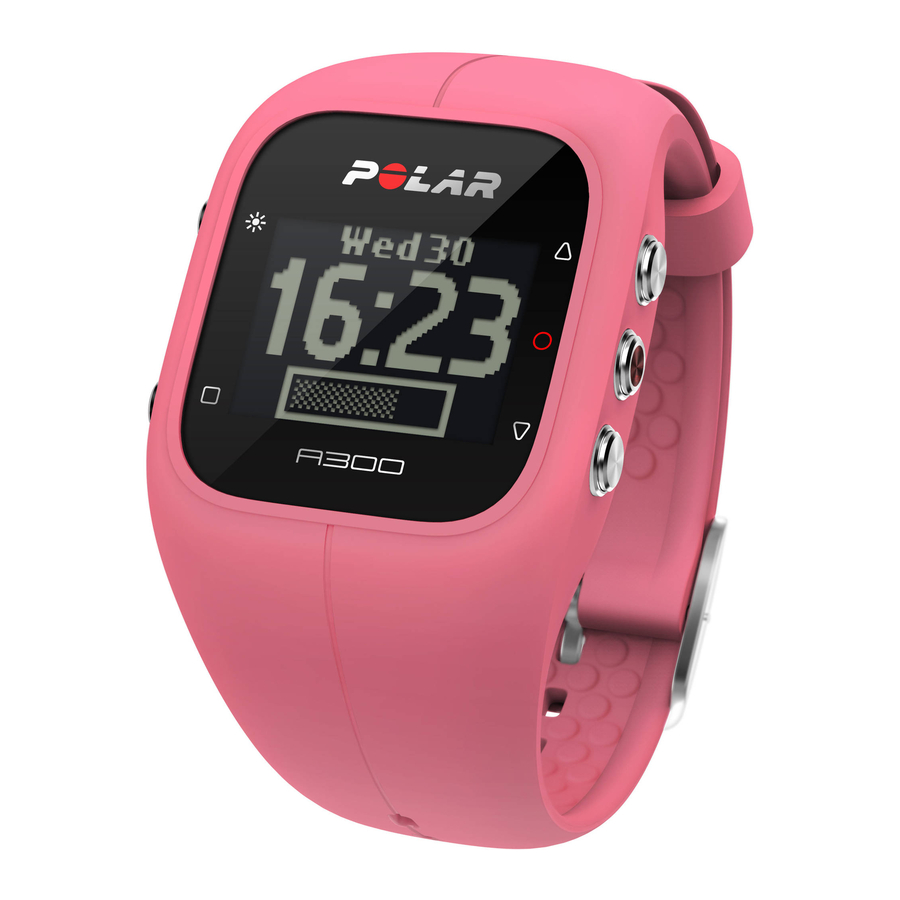
- Manuals
- Brands
- Polar Electro Manuals
- Watch
- A300
- User manual
-
Contents
-
Table of Contents
-
Bookmarks
Quick Links
Related Manuals for Polar Electro A300
Summary of Contents for Polar Electro A300
-
Page 1
USER MANUAL… -
Page 2: Table Of Contents
Quick set up Basic settings Wristband Button Functions and Menu Structure Button Functions Menu Structure Pairing Pair a Heart Rate Sensor with A300 Pair a Mobile Device with A300 Delete a Pairing Settings Sport Profile settings Sport Profiles Settings Physical Settings…
-
Page 3
General Settings Pair and Sync Flight mode Inactivity Alert Units Language About Product Watch Settings Alarm Time Date Date format Watch Face Training Wear Heart Rate Sensor Start a Training Session Start a training session with a target During training Training views Training with heart rate Training without heart rate… -
Page 4
Lock a Zone See the time of day Activate backlight Night mode function Pause/Stop a training session Training Summary After Training Training History in A300 Polar Flow App Polar Flow Web Service Features 24/7 Activity Tracking Activity Goal Activity data… -
Page 5
Smart Coaching features Smart Calories Energy Pointer Heart Rate Zones Fitness Test Before the test Performing the Test Test Results Fitness Level Classes Women Vo2max Training Benefit Polar Flow App and Web Service Polar Flow App Polar Flow Web Service Plan Your Training Create a Training Target Quick Target… -
Page 6
Sync the Targets to your A300 Favorites Add a Training Target to Favorites: Edit a Favorite Remove a favorite Sport profiles in Flow Web Service Add a Sport profile Edit a Sport Profile Syncing Sync with Flow App Sync With Flow Web Service Via FlowSYnc… -
Page 7
Low Battery Notifications Changing Heart Rate Sensor Battery Precautions Interference During Training Minimizing Risks When Training Technical Specification A300 H7 Heart Rate Sensor Polar FlowSync Software and USB Cable Polar Flow Mobile Application Compatibility Water Resistance Limited International Polar Guarantee… -
Page 8: Introduction
Get an instant overview of your daily activity on your A300 or with Polar Flow app. Together with the Polar Flow web service and the Flow app your A300 helps you to under- stand how your choices and habits affect your well-being.
-
Page 9
H7 Heart Rate Sensor Wearing your A300 together with a heart rate sensor, you can get more out of your daily sports. See live, accur- ate heart rate on your A300 during training. Your heart rate information is used to analyze how your session went. -
Page 10: Get Started
SET UP YOUR A300 When you get hold of your new A300, it’s in storage mode. It wakes up when you plug it to a computer for setup or a USB charger for charging. We recommend that you charge the battery before you start using your A300.
-
Page 11: Quick Set Up
QUICK SET UP If you’re in a hurry for your first active day with your A300, you can do a quick set up to get you going. If you do the quick setup, you can use your A300 only in English. If you choose a language other than Eng- lish, you will be guided to go to flow.polar.com/start…
-
Page 12
1. Bend the wristband from the buckle side to detach it from the device. 2. Hold the wristband from the buckle side. Pass the wristband over the buttons first from one side and then from the other side. Stretch the wristband only when necessary. 3. -
Page 13: Button Functions And Menu Structure
BUTTON FUNCTIONS AND MENU STRUCTURE BUTTON FUNCTIONS A300 has five buttons that have different functions depending on the situation of use. See the image below to find out what functions the buttons have in different modes. PRACTICAL TIPS To lock and unlock buttons press and hold LIGHT in time view or during training session.
-
Page 14: Menu Structure
PAIRING Bluetooth Smart ® heart rate sensor or mobile device (smartphone, tablet) has to be paired with your A300 for them to function together. Pairing only takes a few seconds, and ensures that your A300 receives signals from your sensors and devices only, and allows disturbance-free training in a group.
-
Page 15: Pair A Heart Rate Sensor With A300
When using the Polar H7 heart rate sensor, A300 may detect your heart rate via GymLink transmission before you have paired the sensor with your A300. GymLink transmission is optimized to be used in swim- ming, and we recommend using Bluetooth Smart ® transmission in other sports. So, please make sure you have paired your heart rate sensor before training.
-
Page 16: Delete A Pairing
Touch the mobile device with your A300 Pairing is displayed. Confirm on other dev. xxxxx is displayed on your A300. Enter the pin code from the A300 on the mobile device. The pairing starts. Pairing completed is displayed when you’re done.
-
Page 17: Settings
Other outdoor Swimming In the Flow web service you can add new sport profiles and sync them to your A300, and this way create a list of all your frequent sports. See more information in Sport profiles in Flow web service.
-
Page 18: Physical Settings
It is important that you’re pre- cise with the physical settings, as they have an impact on the accuracy of the values that are measured by your A300, such as the heart rate zone limits and calorie expenditure. Physical settings you’ll find: Weight: Set your weight in kilograms (kg) or pounds (lbs).
-
Page 19: Pair And Sync
Pair and sync mobile device: Pair mobile devices with your A300. For more information, see Pairing. Sync data from your A300 to a mobile device. Tip: You can also sync by pressing and holding the BACK button in the time view.
-
Page 20: About Product
ABOUT PRODUCT Check the device ID of your A300, as well as the firmware version and HW model. You may need this inform- ation if you contact Polar customer care. WATCH SETTINGS To view and edit your watch settings, go to Settings >…
-
Page 21: Date Format
DATE FORMAT Choose the Date format. You can choose mm/dd/yy, dd/mm/yy, yy/mm/dd, dd-mm-yy, yy-mm-dd, dd.mm.yy or yy.mm.dd. When syncing with the Flow app and web service, the week’s starting day is automatically updated from the service. WATCH FACE Choose the watch face: Activity or Time.
-
Page 22: Training
Wear the comfortable heart rate sensor with your A300 and get more out of your daily sports. You can see your heart rate accurately and in real time in your A300. See the main effect of your training, and focus on what you want to achieve — burning fat or improving fitness.
-
Page 23: Start A Training Session
START A TRAINING SESSION WITH A TARGET You can plan your training and create detailed training targets in the Flow web service and sync them to your A300 with Flowsync software or Flow app. Your A300 will guide you towards completing your target during…
-
Page 24: During Training
1. In the time view, press START to enter pre-training mode. 2. If you have training targets for today, your A300 asks whether you want to start the training target or not. Choose Yes.
-
Page 25: Training Without Heart Rate
If you have created a training target based on duration or calories in the Flow web service and synced it to your A300, you have the following views: If you’ve created a target based on calories, you can see how much of your…
-
Page 26
If you’ve created a target based on time, you can see how much of your tar- get you’ve completed both in time and as a percentage. Your current heart rate The duration of your training session so far Your current heart rate. The heart symbol shows in which heart rate zone you are. -
Page 27: Training With A Phased Training Target
If you have created a phased target in the Flow web service, defined the heart rate intensity for each phase and synced the target to your A300, you have the following views: You can see your heart rate, the lower and upper heart rate limit of the cur- rent phase and the duration of the training session so far.
-
Page 28: Functions During Training
You can’t lock zones during a heart rate guided phased training session you’ve created in the Flow web ser- vice and started in your A300. If you have set the upper and lower heart rate limits for each phase, your A300 will notify if you are outside the limits.
-
Page 29
2. To stop a training session, press and hold the BACK button for three seconds during training recording or in pause mode until Recording ended is displayed. If you stop your session after pausing, the time elapsed after pausing is not included in the total training time. -
Page 30: Training Summary
TRAINING SUMMARY AFTER TRAINING You’ll get a summary of your training session on your A300 right after you’ve stopped training. Get a more detailed and illustrated analysis in the Flow app or in the Flow web service. TRAINING HISTORY IN A300…
-
Page 31: Polar Flow App
POLAR FLOW APP Sync your A300 with Flow app by pressing and holding BACK in the time view. In Flow app you can analyze your data at a glance after each session. The app allows you to see a quick overview of your training data off- line.
-
Page 32: Features
ACTIVITY GOAL Your A300 gives you an activity goal each day and guides you in reaching the goal. You can view the goal on Polar Flow app or web service. The activity goal is based on your personal data and activity level setting,…
-
Page 33: Inactivity Alert
Sitting for long periods of time is bad for your health, even on those days when you train and gain enough daily activity. Your A300 spots if you’re being inactive for too long during your day and this way helps you to break up your sitting to avoid the negative effects it has on your health.
-
Page 34: Sleep Information At Flow Web Service And Flow App
SLEEP INFORMATION AT FLOW WEB SERVICE AND FLOW APP A300 will track your sleep time and quality (restful / restless), if you wear it at night. You don’t have to turn the sleep mode on, the device automatically detects from your wrist movements that you’re sleeping. Sleep time, and its quality (restful / restless) is shown at the Flow web service and Flow app after A300 is synced.
-
Page 35: Smart Coaching Features
Whether it’s assessing your day-to-day fitness levels, creating individual training plans, working out at the right intensity or receiving instant feedback, Smart Coaching offers a choice of unique, easy-to-use features, personalized to your needs and designed for maximum enjoyment and motivation when training. A300 includes the following Smart Coaching features: Smart calories EnergyPointer…
-
Page 36: Heart Rate Zones
69% of your maximum heart rate. However, it is normal that EnergyPointer value varies as your daily physical and mental condition varies. Your A300 detects your body’s daily state from your heart rate and heart rate variability and, if necessary, adjusts the EnergyPointer accordingly. For example, if your body is recovered from previous training session and you’re not tired or stressed, then you are prepared for more intensive training and the Energy Pointer value changes.
-
Page 37
Target zone Intensity % of HR Example: Heart Example durations Training effect rate zones (in beats per minute) = Maximum for a 30-years-old heart rate (220-age). person, whose maximum heart rate is 190 bpm (220–30). and muscles. Feels like: Very exhaust- ing for breath- ing and muscles. -
Page 38
Target zone Intensity % of HR Example: Heart Example durations Training effect rate zones (in beats per minute) = Maximum for a 30-years-old heart rate (220-age). person, whose maximum heart rate is 190 bpm (220–30). training, and for various dur- ations. -
Page 39
Target zone Intensity % of HR Example: Heart Example durations Training effect rate zones (in beats per minute) = Maximum for a 30-years-old heart rate (220-age). person, whose maximum heart rate is 190 bpm (220–30). Improves gen- eral base fit- ness, improves recovery and boosts meta-… -
Page 40
Target zone Intensity % of HR Example: Heart Example durations Training effect rate zones (in beats per minute) = Maximum for a 30-years-old heart rate (220-age). person, whose maximum heart rate is 190 bpm (220–30). Very easy, little strain. Recommended for: For recov- ery and cool- down, through-… -
Page 41: Fitness Test
Avoid heavy physical exertion, alcohol, and pharmaceutical stimulants on the test day and the pre- vious day. You should be relaxed and calm. Lie down and relax for 1-3 minutes before starting the test. BEFORE THE TEST Note that you can do the test only if you have set up your A300 at flow.polar.com/start.
-
Page 42: Performing The Test
A300 to identify and pair the sensor. Couldn’t find heart rate is displayed, if A300 can’t find your heart rate. Check that the heart rate sensor electrodes are wet and that the textile strap fits snugly. You need a Polar HR sensor is displayed, if A300 can’t find a Polar heart rate sensor.
-
Page 43: Fitness Level Classes
Fitness Level Classes Age / Years Very low Fair Moderate Good Very good Elite 20-24 < 32 32-37 38-43 44-50 51-56 57-62 > 62 25-29 < 31 31-35 36-42 43-48 49-53 54-59 > 59 30-34 < 29 29-34 35-40 41-45 46-51 52-56 >…
-
Page 44: Vo2Max
Aerobic fitness norms for males and females aged 6 to 75 years: a review. Aviat Space Environ Med; 61:3-11, 1990. 2MAX A clear link exists between maximal oxygen consumption (VO2 ) of the body and cardiorespiratory fitness because oxygen delivery to tissues is dependent on lung and heart function. VO2 (maximal oxygen uptake, maximal aerobic power) is the maximal rate at which oxygen can be used by the body during maximal exercise;…
-
Page 45
Feedback Benefit Tempo training+ Great pace in a long session! You improved your aerobic fitness, speed, and ability to sustain high intensity effort for longer. This session also increased your resistance to fatigue. Tempo training Great pace! You improved your aerobic fitness, speed, and ability to sustain high intensity effort for longer. -
Page 46
Feedback Benefit Recovery training Very nice session for your recovery. Light exercise like this allows your body to adapt to your training. -
Page 47: Polar Flow App And Web Service
A300. For more information, see Pairing. To see your training data in Flow app, you must sync your A300 with it after your session. When you sync your A300 with the Flow app, your activity and training data are also synced automatically via an internet con- nection to the Flow web service.
-
Page 48: Plan Your Training
PLAN YOUR TRAINING Plan your training in the Flow web service by creating detailed training targets and syncing them to your A300 with Flowsync or via Flow app. Your A300 will guide you towards completing your target during training. Note…
-
Page 49: Create A Training Target
CREATE A TRAINING TARGET 1. Go to Diary, and click > Training target. 2. In the Add training target view, choose Quick or Phased. Quick Target 1. Choose Quick 2. Choose Sport, enter Target name (maximum 45 digits), Date Time and any Notes (optional) you…
-
Page 50: Sync The Targets To Your A300
FAVORITES In Favorites, you can store and manage your favorite training targets in the Flow web service. Your A300 can have a maximum of 20 favorites at a time. If you have over 20 favorites in the Flow web service, the first 20 in the list are transferred to your A300 when syncing.
-
Page 51: Edit A Favorite
SPORT PROFILES IN FLOW WEB SERVICE There are eight sport profiles on your A300 by default. In the Flow web service you can add new sport profiles to your sports list, as well as edit them and existing profiles. Your A300 can contain a maximum of 20 sport profiles.
-
Page 52: Syncing
You can transfer data from your A300 via the USB port with FlowSync software or wirelessly via Bluetooth Smart® with the Flow app. To be able sync data between your A300 and the Flow web service and app, you need to have a Polar account and FlowSync software. You already have created the account and downloaded…
-
Page 53: Sync With Flow App
Syncing completed is displayed when you are done. When you sync your A300 with the Flow app, your activity and training data are also synced automatically via an internet connection to the Flow web service. For support and more information about using Polar Flow app, go to www.polar.com/en/support/Flow_app…
-
Page 54
Every time you plug in your A300 to your computer, the Polar FlowSync software will transfer your data to the Polar Flow web service and sync any settings you may have changed. If the syncing does not automatically start, start FlowSync from the desktop icon (Windows) or from the applications folder (Mac OS X). Every time a firmware update is available, FlowSync will notify you, and request you to install it. -
Page 55: Firmware Update
FIRMWARE UPDATE You can update the firmware of your A300 yourself to keep it up to date. Whenever a new firmware version is available, FlowSync will notify you when you connect A300 to your computer. The firmware updates are down- loaded via FlowSync.
-
Page 56: Reset A300
Like any electronic device, A300 is recommended to be restarted every now and then. If you experience prob- lems with your A300, try resetting it. Reset your A300 by pressing and holding the UP, DOWN, BACK and LIGHT buttons simultaneously for a couple of seconds until the Polar animation is shown on the display. This…
-
Page 57: Important Information
Never use alcohol or any abrasive material such as steel wool or cleaning chemicals. When you connect your A300 to a computer, check that there is no moisture, hair, dust or dirt on the A300’s USB connector. Gently wipe off any dirt or moisture. Don’t use any sharp tools for cleaning to avoid scratch- ing.
-
Page 58: Service
CHARGING A300 BATTERY The A300 has an internal, rechargeable battery. Rechargeable batteries have a limited number of charge cycles. You can charge and discharge the battery over 300 times before a notable decrease in its capacity.
-
Page 59: Battery Operating Time
Make sure the cable is right way up — the USB symbols on the back cover of the device and on the cable are next to each other. Check that the A300 is dry before connecting it to the computer. If the bat- tery is completely empty, it takes a couple of minutes for the charging to start.
-
Page 60: Low Battery Notifications
A300. When the display is blank, the battery is empty and A300 has gone to sleep mode. Charge your A300. If the battery is totally drained, it may take a while for the charging animation to appear on the display.
-
Page 61: Precautions
Danger of explosion if the battery is replaced with wrong type. PRECAUTIONS The Polar A300 is designed to measure heart rate and tell your activity. No other use is intended or implied. The training device should not be used for obtaining environmental measurements that require professional or industrial precision.
-
Page 62: Minimizing Risks When Training
1. Remove the heart rate sensor strap from your chest and use the training equipment as you would nor- mally. 2. Move the training device around until you find an area in which it displays no stray reading or does not flash the heart symbol.
-
Page 63: Technical Specification
If you use perfume or insect repellent on your skin, you must ensure that it does not come into contact with the training device or the heart rate sensor. TECHNICAL SPECIFICATION A300 Battery type: 68 mAh Li-pol rechargeable battery…
-
Page 64: H7 Heart Rate Sensor
Water resistance: 30 m Uses Bluetooth® Smart wireless technology. Your A300 is compatible with the following Polar heart rate sensors as well: Polar H1, Polar H2 (using GymLink technology) and Polar H6. POLAR FLOWSYNC SOFTWARE AND USB CABLE To use FlowSync software you need a computer with Microsoft Windows or Mac OS X operating system with an internet connection and a free USB port for USB cable.
-
Page 65: Polar Flow Mobile Application Compatibility
Mac OS X 10.10 POLAR FLOW MOBILE APPLICATION COMPATIBILITY iPhone 4S or later The Polar A300 training device applies the following patented technologies, among others: OwnIndex® technology for Fitness test. WATER RESISTANCE Water resistance of Polar products is tested according to International IEC 60529 IPX7 (1m, 30min, 20ºC).
-
Page 66
This limited Polar international guarantee is issued by Polar Electro Inc. for consumers who have pur- chased this product in the USA or Canada. This limited Polar international guarantee is issued by Polar Electro Oy for consumers who have purchased this product in other countries. -
Page 67: Compliance Statement
Polar Electro Oy. The names and logos in this user manual or in the package of this product are trademarks of Polar Electro Oy. The names and logos marked with a ® symbol in this user manual or in the package of this product are registered trademarks of Polar Electro Oy.
-
Page 68
CAN ICES-3(B)/NMB-3(B) Polar Electro Oy has not approved any changes or modifications to this device by the user. Any changes or modifi cations could void the user’s authority to operate the equipment. FCC regulatory information This device complies with part 15 of the FCC rules. -
Page 69: Disclaimer
Polar Electro Inc./Polar Electro Oy shall not be liable for any damages, losses, costs or expenses, dir- ect, indirect or incidental, consequential or special, arising out of, or related to the use of this material or the products described herein.
 Администратор говорит:
График сердечного пульса — это визуальное представление частоты сердечных сокращений. На графике показана частота сердечных сокращений в зависимости от времени. График был разделен на четыре зоны:
Зеленая зона — это зона частоты сердечных сокращений в состоянии покоя, в которой вы находитесь в состоянии покоя, а частота сердечных сокращений составляет от 50 до 70 ударов в минуту (уд/мин).
Желтая зона — это зона частоты сердечных сокращений для сжигания жира, в которой вы активны, а частота сердечных сокращений составляет от 70 до 85 ударов в минуту.
Красная зона — это зона частоты сердечных сокращений во время тренировки, в которой вы тренируетесь, а частота сердечных сокращений составляет от 85 до 100 ударов в минуту.
Синяя зона — это зона максимальной частоты сердечных сокращений, в которой вы тренируетесь с максимальной интенсивностью, а частота сердечных сокращений превышает 100 ударов в минуту.
Трекер фитнеса и активности Polar A300 постоянно измеряет частоту сердечных сокращений во время тренировки. Трекер фитнеса и активности Polar A300 автоматически определяет, когда вы начинаете тренироваться, основываясь на вашей скорости или ускорении. Когда вы прекратите тренировку, он автоматически определит, когда вы остановитесь, на основе вашей скорости или замедления. Затем он покажет вам среднее значение всех измерений во время тренировки на графике тренировок в Polar Flow. web сервис или мобильное приложение.
Если вы какое-то время не тренировались, трекер фитнеса и активности Polar A300 будет использовать значение в состоянии покоя в течение первых нескольких минут, пока не будет измерено ваше фактическое значение в состоянии покоя. Таким образом, он может дать оценку того, сколько времени потребуется, чтобы вернуться к состоянию покоя после тренировки.

 Администратор говорит:
График сердечного пульса — это визуальное представление частоты сердечных сокращений. На графике показана частота сердечных сокращений в зависимости от времени. График был разделен на четыре зоны:
Зеленая зона — это зона частоты сердечных сокращений в состоянии покоя, в которой вы находитесь в состоянии покоя, а частота сердечных сокращений составляет от 50 до 70 ударов в минуту (уд/мин).
Желтая зона — это зона частоты сердечных сокращений для сжигания жира, в которой вы активны, а частота сердечных сокращений составляет от 70 до 85 ударов в минуту.
Красная зона — это зона частоты сердечных сокращений во время тренировки, в которой вы тренируетесь, а частота сердечных сокращений составляет от 85 до 100 ударов в минуту.
Синяя зона — это зона максимальной частоты сердечных сокращений, в которой вы тренируетесь с максимальной интенсивностью, а частота сердечных сокращений превышает 100 ударов в минуту.
Трекер фитнеса и активности Polar A300 постоянно измеряет частоту сердечных сокращений во время тренировки. Трекер фитнеса и активности Polar A300 автоматически определяет, когда вы начинаете тренироваться, основываясь на вашей скорости или ускорении. Когда вы прекратите тренировку, он автоматически определит, когда вы остановитесь, на основе вашей скорости или замедления. Затем он покажет вам среднее значение всех измерений во время тренировки на графике тренировок в Polar Flow. web сервис или мобильное приложение.
Если вы какое-то время не тренировались, трекер фитнеса и активности Polar A300 будет использовать значение в состоянии покоя в течение первых нескольких минут, пока не будет измерено ваше фактическое значение в состоянии покоя. Таким образом, он может дать оценку того, сколько времени потребуется, чтобы вернуться к состоянию покоя после тренировки.
Данная инструкция на русском языке предназначена для смарт-часов
Polar A300, описывает принцип работы и основные моменты эксплуатации устройства.
Производитель настойчиво рекомендует перед включением смарт-часов
внимательно изучить настоящую инструкцию.
Инструкция для смарт-часов
представлена в формате PDF. Все современные браузеры уже поддерживают данный формат и сложностей с открытием файла возникнуть не должно.
Но если открыть инструкцию все же не удается, то необходимо установить на компьютер программу для чтения PDF файлов, например, Acrobat Reader. Если у вас возникли сложности с открытием инструкции на смартфоне под управлением Android, нужно установить, например, Adobe Acrobat Reader.
Комментарии (0)
Комментарии про другие Смарт-часы
Другие Смарт-часы Polar
Содержание:
- Внешний вид и комплектация
- Экран и габариты
- Функционал
- Измерение пульса
- Автономность и водонепроницаемость
- Синхронизация и Polar Flow
- Отзывы о Polar A300
- Итог
- Купить Polar A300
- Инструкция Polar A300 на русском
Polar A300 — часы для здорового образа жизни, фитнеса и пробежек. В нем совмещены функции фитнес-браслета, часов и профессионального пульсометра. В целом A300 очень похож на своего старшего брата Polar M400, только с урезанным функционалом для тренировок и приятными дополнениями для повседневного использования.
Внешний вид и комплектация
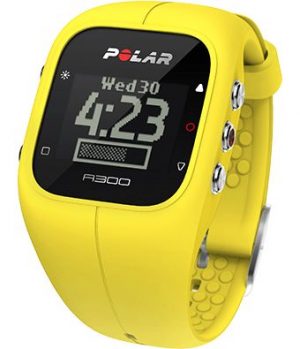
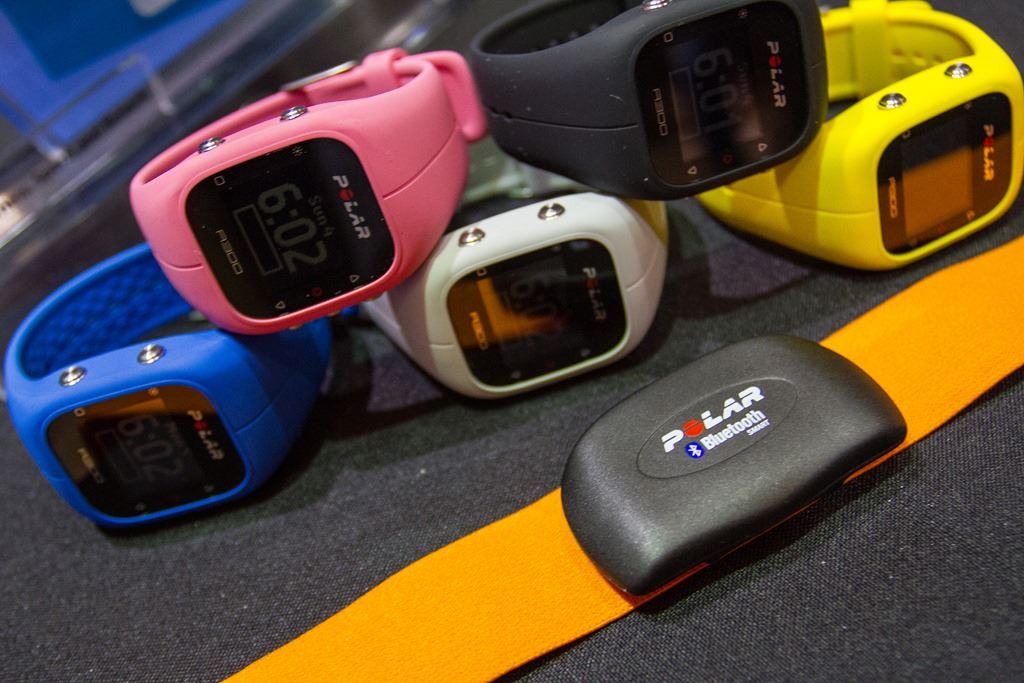
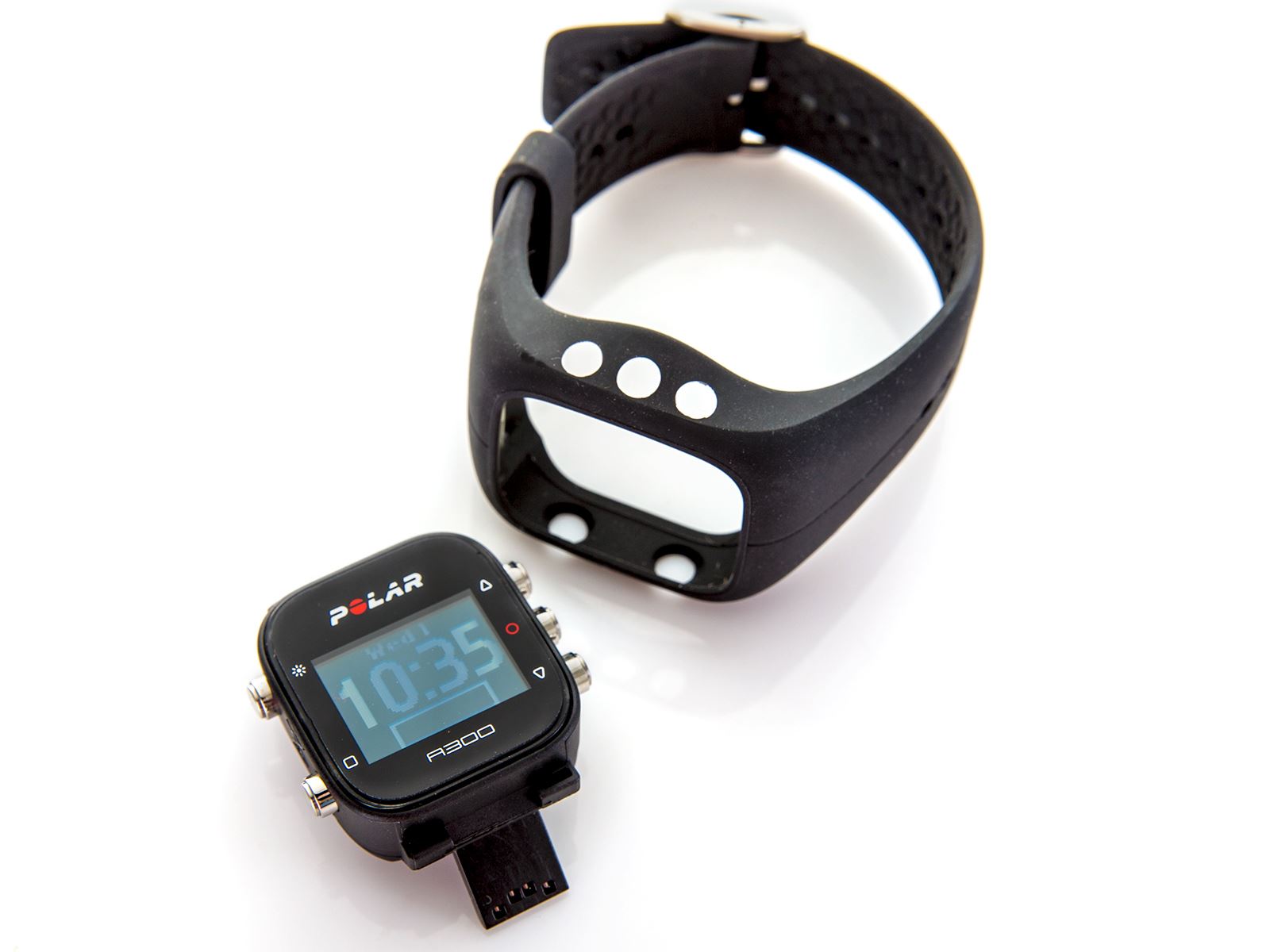
Внешне часы очень похожи на старшую модель Polar M400. Браслет выполнен из каучука и легко меняется на другой цвет, подобно Polar M200 и Polar M600: белый, черный, розовый, желтый, серый и синий. Строение похоже на фитнес-браслеты — устройство полностью достается из браслета и вставляется в другой.
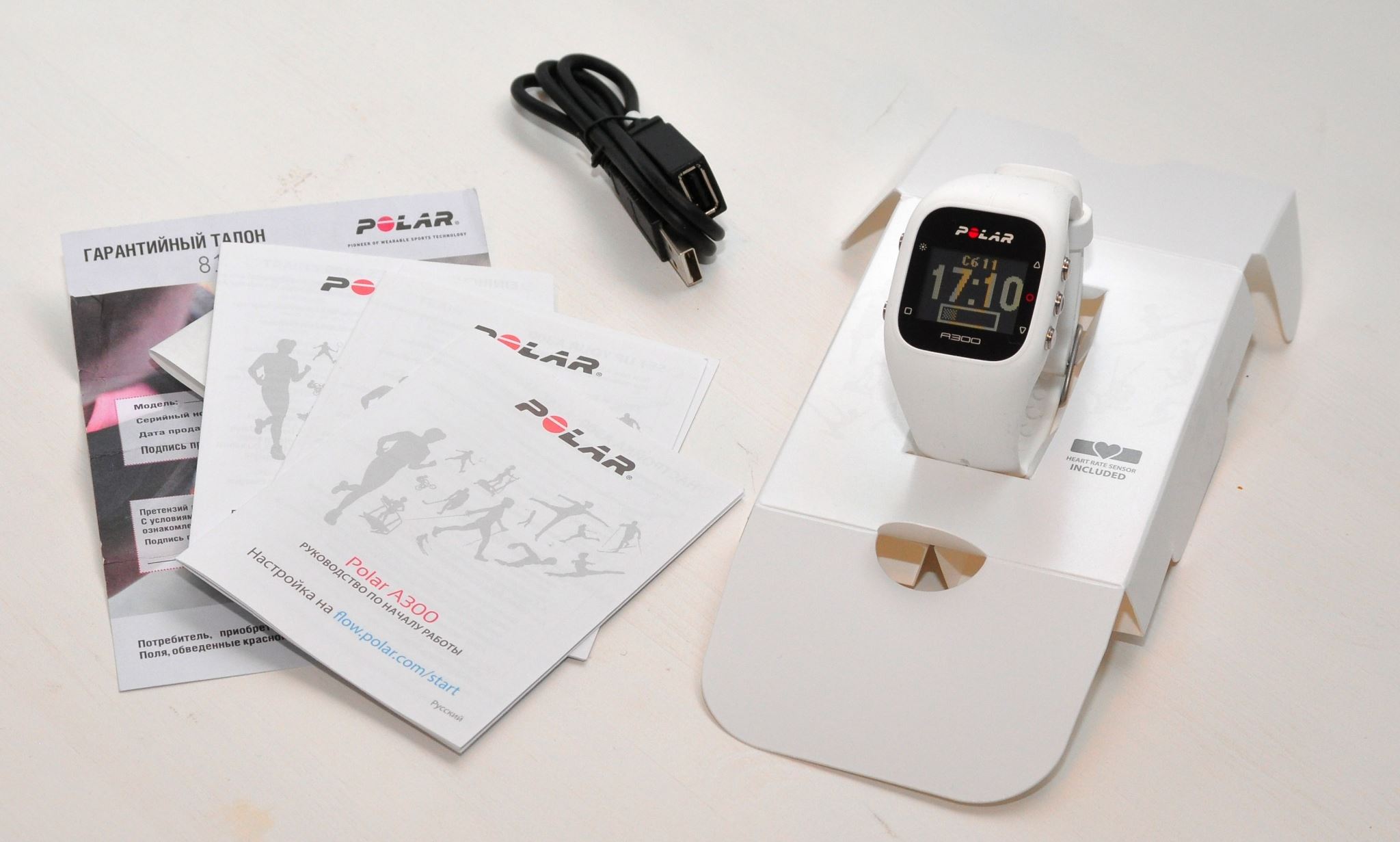
Есть 2 вида комплектаций: Polar A300 с датчиком пульса Polar H7 и просто часы Polar A300.
Экран и габариты
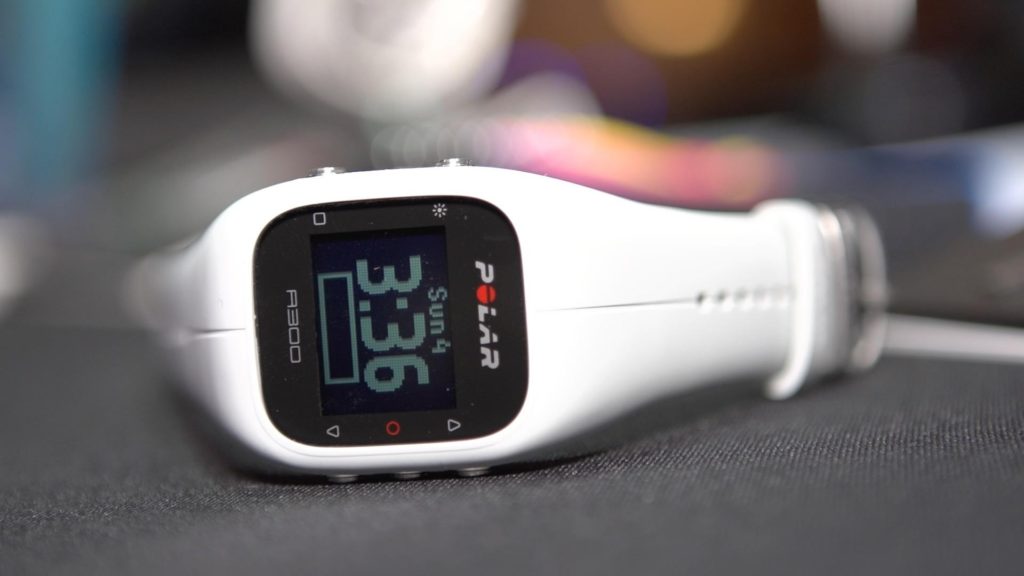
Экран монохромный 128х128 с подсветкой. Защитного стекла нет, экран закрыт пластиком. Подсветка очень яркая, позволяет разглядеть дисплей при любом освещении.
Толщина часов — 12.7 мм, вес — 48 гр. Для сравнения, вес Polar M400 составляет почти 57 гр.
Функционал
- счетчик шагов и калорий
- пульсометр (в комплектации HR)
- пройденное расстояние (шагомер)
- шкала суточной активности и мониторинг сна
- напоминание о том, что нужно подвигаться
- память на 60 дней активности
- ЧСС текущая, максимальная (с датчиком HR)
- время тренировки и калории
- фитнес-тест
- уведомления вибрацией
Цели по физической активности на день можно выставлять в ручную. Например, пройти 10 тыс. шагов. Часы будут напоминать о цели и подсказывать, что нужно сделать для ее достижения (сколько побегать, сколько просто пройтись пешком).
Часы предупредят не только о низкой активности, но и о слишком высокой, когда есть риск перетрудиться на тренировке. Уровни нагрузки можно выставлять самому или доверить программе.
Уведомления есть как звуковые, так и вибрацией, что очень удобно, когда тренировка проходит в шумном месте или с музыкой. Вибрация используется так же для «тихого» будильника.
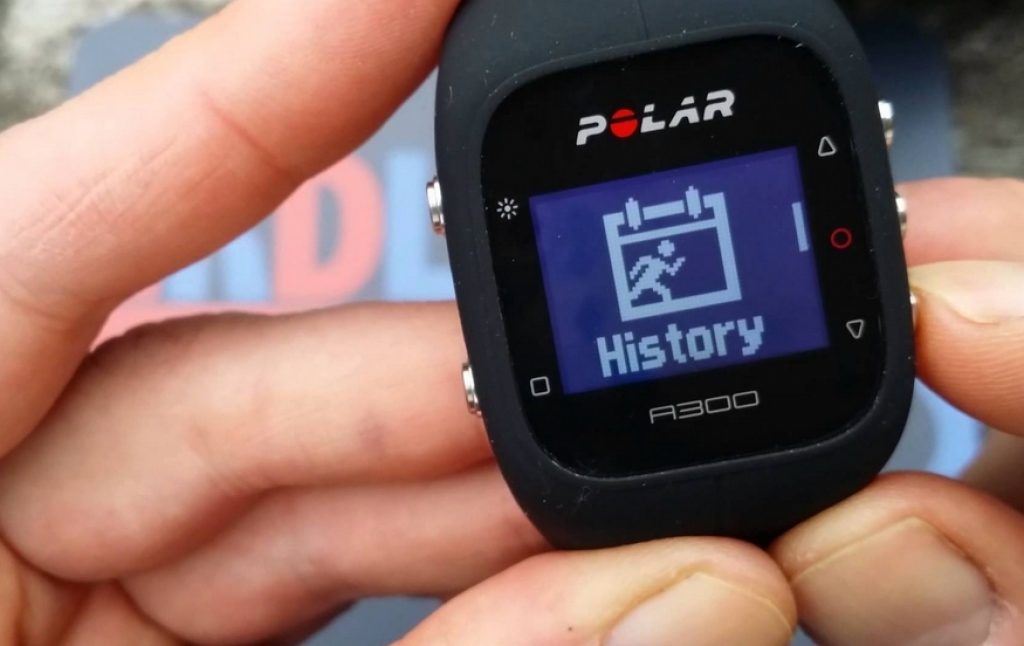
В приложении Polar Flow доступен полный анализ и дневник тренировок. Возможно планирование тренировок через дневник.
Измерение пульса
В часах нет встроенного пульсометра. Для измерения пульса нужен нагрудный датчик, который есть в комплекте версии HR. В комплект Polar A300 HR входит датчик Polar H7, он кодированный и защищен от помех.
Автономность и водонепроницаемость
Polar A300 защищен от попадания влаги и подходить для плавания, а датчик пульса Polar H7 замеряет пульс даже под водой.
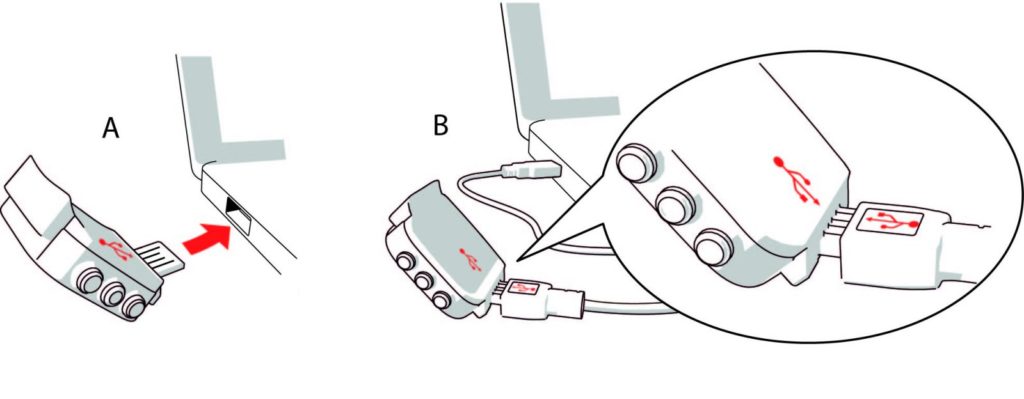
На одном заряде полар А300 держатся до 4 недель. Зарядка может производиться без кабеля. USB штекер находится прямо на самом устройстве. Это несомненный плюс — не нужно помнить о лишнем проводе. Провод в комплекте есть, он пригодится в случае сложного доступа к USB портам.
Синхронизация и Polar Flow
Часы синхронизируются и со смартфонами и с компьютерами. Телефон должен поддерживать Bluetooth 4.0, что примерно соответствует любому телефону Android на ОС Android 4.3 или выше и iPhone 4s и выше.
Все данные скидываются в экосистему Polar Flow, где доступен анализ активности и сна, дневник тренировок, тренировочные планы и возможность публикации тренировок в популярных сервисах типа Strava.
Отзывы о Polar A300
Достоинства:
пульсометр (с нагрудным датчиком Polar), аккумулятор, крупный циферблат часов, уведомления с телефона, достаточно легкие для своего размера, русифицированное ПОНедостатки:
материал ремешка, пластиковый дисплейКомментарий:
Если вы планируете носить их на тренировке — берите, они стоят того. Пульсометр (с нагрудным датчиком Polar) и остальной функционал спортивных часов, все отлично работает. Заряд держали 18 дней, два из которых в режиме уведомлений с телефона. Может быть еще пару дней протянули, но появилась индикация о малом заряде и я зарядил.Но если вы, как я, собрались носить их 24 часа в сутки — есть два момента.
1. Силиконовый ремешок: он собирает пыль и мелкий ворс, задирает одежду, в конце концов он иногда вырывает волосы на запястье и если не вырывает, то точно неприятно оттягивает. До этого носил Xiaomi Mi Band, в них тоже используется силиконовый ремешок, там этих проблем нет.
2. Пластиковый дисплей. Сравнивая с Casio G-shock, когда спустя три года дисплей в идеальном состоянии, я представляю во что превратится этот, если я их буду так же носить. Возможно у Polar более утилитарный взгляд или это впечатление после G-shock и Gorilla Glass, но для меня это важно.
UPD ношу более двух месяцев, на дисплее царапин так и не появилось. Заряжаю два раза в месяц. С ремешку или привык или он обтерся и перестал доставлять дискомфорт.
Рекомендую брать цветной ремешок, черный нагонят тоску со временем. Этот не тот черный, как у Casio, это черная резина.
Отзыв с Яндекс Маркет
Итог
Polar A300 больше заточен под фитнес, пробежки, занятия в зале, чем для серьезных беговых, лыжных или триатлонных тренировок. Это скорее продвинутый фитнес-браслет для активного образа жизни.
Мы рекомендуем этот пульсометр тем, для кого спорт — это прежде всего здоровье, а не победа в соревнованиях или улучшение результата на марафоне. Пульсометр поможет начать вести более активный образ жизни, будет поднимать с офисного кресла и заставлять прогуляться. А фитнес-тестирование подскажет, к чему нужно стремиться.
Для продвинутых лыжников, бегунов, триатлетов рекомендуем рассмотреть другие модели. Например, Polar M400, Polar V800 или Polar M430.
Купить Polar A300
Купить новый Polar A300 в России уже проблематично. Рекомендуем обратить внимание на более новую модель Polar A370 — тут уже цветной экран, измерение пульса на запястье, учет активности 24/7. Подробнее читайте в нашем обзоре Polar A370.
Инструкция Polar A300 на русском
Инструкция к полар А300 доступна по ссылке.
Занимайтесь спортом, двигайтесь и путешествуйте! Если нашли ошибку или хотите обсудить статью — пишите в комментариях. Мы всегда рады общению.
Подписывайтесь на нас в Telegram, ЯндексДзен и Вконтакте