
инструкцияCardo Scala Rider Freecom 2

scala rider
®
FREECOM
™
MANUAL
,
cardo
0 Bluetooth·
Bluetooth Communication System
MANUAL
Посмотреть инструкция для Cardo Scala Rider Freecom 2 бесплатно. Руководство относится к категории гарнитуры, 8 человек(а) дали ему среднюю оценку 7.7. Руководство доступно на следующих языках: русский. У вас есть вопрос о Cardo Scala Rider Freecom 2 или вам нужна помощь? Задайте свой вопрос здесь
Главная
| Cardo | |
| Scala Rider Freecom 2 | |
| гарнитура | |
| русский | |
| Руководство пользователя (PDF), Инструкция по установке (PDF) |
Не можете найти ответ на свой вопрос в руководстве? Вы можете найти ответ на свой вопрос ниже, в разделе часто задаваемых вопросов о Cardo Scala Rider Freecom 2.
Можно ли с помощью гарнитура совершать звонки без использования рук?
Что такое шумоподавление?
Когда звук считается слишком громким?
Инструкция Cardo Scala Rider Freecom 2 доступно в русский?
Не нашли свой вопрос? Задайте свой вопрос здесь
Download
Table of Contents
Add to my manuals
Share
URL of this page:
HTML Link:
Bookmark this page
Manual will be automatically added to «My Manuals»
Print this page
- Manuals
- Brands
- Cardo Systems Manuals
- Motorcycle Accessories
- FREECOM 2
- Manual
Headset
Hide thumbs
Also See for FREECOM 2:
- Manual (18 pages)
1
2
3
4
5
6
7
8
9
10
11
12
13
14
15
16
17
18
19
20
21
22
23
24
25
26
27
28
29
30
31
32
33
34
35
36
37
38
39
40
41
42
43
44
45
46
47
48
49
50
51
52
53
54
55
56
57
58
59
60
61
62
63
64
65
66
67
68
69
70
71
72
73
74
75
76
77
78
79
80
Table Of Contents
81
-
page
of
81/
81 -
Contents
-
Table of Contents
-
Troubleshooting
-
Bookmarks
Table of Contents
-
Freecom 2 — Table of Contents
-
Charging the Freecom 2
-
Overview
-
Switching Your Headsen On/Off
-
Different Ways to Operate Your Freecom 2
-
Basic Functions
-
Pairing Your Headset to Bluetooth Devices
-
Pairing through the Headset Buttons
-
Pairing through the Headset Voice-Assisted Menu
-
Pairing the Bluetooth Intercom to Other Cardo Headsets
-
Pairing Throught the Headset Buttons/Through Smartset/Through the Headset Voice-Assisted Menu
-
Pairing the Bluetooth Intercom to Non-Cardo Headsets
-
Before You Ride
-
Recommended Customizations and Settings Table
-
Configuring Your Freecom 2 through Cardo Smartset
-
Configuring Your Freecom 2 Basic Settings
-
Configuring Speed Dial Numbers
-
Configuring Your FM Radio
-
Setting the FM Band
-
Configuring Your FM Radio Manually
-
Configuring Your FM Radio Using Auto Scan
-
Configuring FM Radio RDS through Cardo Smartset
-
Configuring Your Freecom 2 through the Cardo Community
-
Installing the Cardo Updated on Your Computer/Configuring Your Freecom 2 Basic Settings
-
Configuring Your FM Radio through Cardo Cardo Community
-
Configuring Your Freecom 2 through the Headset Voice-Assisted Menus
-
Using Parallel Audio Streaming
-
Audio Source Priorities
-
Setting the Default Mobile Phone
-
Checking Battery Status through Cardo Smartset
-
On the Road
-
Making Phone Calls
-
Answering Phone Calls
-
Rejecting Phone Calls/Ending Phone Calls
-
Making and Receiving Bluetooth Intercom Calls
-
Holding a Mobile/Bluetooth Intercom Conference Call
-
Toggling between Two Calls on Two Mobile Phones Paired to Your Headset
-
Disconnecting the Current Call and Switching to the Second Call
-
Bluetooth Intercom Busy Signal
-
Click-To-Link Calls
-
Incoming Click-To-Link Intercom Calls
-
Listening to Music
-
Listening to FM Radio
-
Switching Music Sources
-
To Play a Different Preset Station
-
To Seek the Next Available Station
-
To Scan Available Stations and Select Your Desired Station
-
To Store a Scanned Station in the Active Preset
-
Sharing Music and Radio
-
To Temporarily Store New Stations in the Presets (Auto Scan)
-
To Restore the Original Presets (Following Auto Scan)
-
Troubleshooting
-
Soft Reset
-
Reset Pairing
-
Reset to Factory Settings/Faq
-
Support
-
Glossary
-
Freecom 2 Modes and Events
-
Warranty
-
Freecom 4 — Table of Contents
-
Abbreviations
-
Charging the Freecom 4
-
Freecom 4 — Overview
-
Freecom 4 — Switching On/Off
-
Different Ways to Operate Your Freecom 4
-
Freecom 4 — Basic Functions
-
Freecom 4 — Pairing Your Headset to Bluethooth Devices
-
Freecom 4 — Pairing through the Headset Buttons
-
Freecom 4 — Pairing through the Headset Voice-Assisted Menu
-
Freecom 4 — Pairing the Bluetooth to Other Cardo Headsets
-
Freecom 4 — Pairing the Bluetooth Intercom Tonon-Cardo Headsets
-
Freecom 4 — Recommended Customizations and Settings before Setting out on the Road
-
Configuring Your Freecom 4 through Cardo Smartset
-
Configuring Your Freecom 4 Basic Settings
-
Freecom 4 — Configuring Speed Dial Numbers
-
Freecom 4 — Configuring the FM Band through Cardo Smartset
-
Freecom 4 — Configuring Your FM Radio Manually
-
Freecom 4 — Configuring Your FM Radio Using Auto Tuning
-
Freecom 4 — Configuring RDS through Cardo Smartset
-
Configuring Your Freecom 4 through the Cardo Community
-
Installing the Cardo Updated on Your Computer/Configuring Your Freecom 4 Basic Settings
-
Freecom 4 — Configuring Your FM Radio through Cardo Cardo Community
-
Configuring Your Freecom 4 through the Headset Voice-Assisted Menus
-
Freecom 4 — Checking Battery Status through Cardo Smartset
-
Freecom 4 — Setting the Default Mobile Phone
-
Freecom 4 — Upgrading Firmware for New Features
-
Freecom 4 — on the Road
-
Freecom 4 — Making and Receiving Phone Calls
-
Freecom 4 — Making and Receiving Bluetooth Intercom Calls
-
Freecom 4 — Receiving Bluetooth Intercom Calls
-
Freecom 4 — Bluetooth Intercom Busy Signal
-
Freecom 4 — Click-To-Link Calls
-
Freecom 4 — Incoming Click-To-Link Intercom Calls
-
Freecom 4 — Listening to Music
-
Freecom 4 — Listening to FM Radio
-
Freecom 4 — Switching Music Sources
-
Freecom 4 — Sharing Music and Radio
-
Freecom 4 — Audio Source Priorities
-
Freecom 4 — Troubleshooting
-
Freecom 4 — Soft Reset
-
Freecom 4 — Reset to Factory Settings
-
Freecom 4 — FAQ
-
Freecom 4 — Support
-
Modes and Events Freecom 4
-
Freecom 4 — Warranty
-
Installation Guide
Advertisement
Quick Links
x
Download this manual
6
Charging the Freecom 2
7
Switching Your Headsen On/Off
8
Pairing Your Headset to Bluetooth Devices
10
Pairing the Bluetooth Intercom to Other Cardo Headsets
Table of Contents
Previous Page
Next Page
- 1
- 2
- 3
- 4
- 5
Advertisement
Table of Contents
Troubleshooting
-
Troubleshooting
33 -
Freecom 4 — Troubleshooting
71
Related Manuals for Cardo Systems FREECOM 2
-
Motorcycle Accessories Cardo Systems FREECOM 1 + Manual
(18 pages)
-

Motorcycle Accessories Cardo Systems FREECOM 2x Pocket Manual
(2 pages)
-
Motorcycle Accessories Cardo Systems FREECOM 2x Pocket Manual
(2 pages)
-
Motorcycle Accessories Cardo Systems FREECOM 1 Manual
Bluetooth
communication and entertainmentsystem (21 pages) -
Motorcycle Accessories Cardo Systems FREECOM 4x Manual
(26 pages)
-
Motorcycle Accessories Cardo Systems FREECOM 4x Pocket Manual
(16 pages)
-
Motorcycle Accessories Cardo Systems SMARTH Manual
Communication system (56 pages)


-
Motorcycle Accessories Cardo Systems PACKTALK BOLD Manual
(31 pages)
-
Motorcycle Accessories Cardo Systems PACKTALK SLIM Manual
(30 pages)
-
Motorcycle Accessories Cardo Systems sMARTH Manual
High powered technology ultra slim design (50 pages)
-
Motorcycle Accessories Cardo Systems scalarider q1 User Manual
Bluetooth communication and entertainment system for motorcycle helmets (16 pages)
-
Motorcycle Accessories Cardo Systems scalarider Q3 User Manual
Bluetooth communication and entertainment system for motorcycle helmets (16 pages)
-
Motorcycle Accessories Cardo Systems Scala Rider PACKTALK User Manual
(120 pages)


Summary of Contents for Cardo Systems FREECOM 2
-
Page 7
■ ■ ■… -
Page 9
■ ■… -
Page 12
… -
Page 13
… -
Page 15
■ ♦ ♦ ♦ ♦ ♦ ♦ ♦ ■ ■ ■ ■… -
Page 21
■ ■… -
Page 25
■ ■… -
Page 30
■ ■ ■ ■… -
Page 31
♦ ♦ ♦ ♦… -
Page 32
♦ ♦… -
Page 33
■ ■ ■… -
Page 34
… -
Page 55
… -
Page 56
… -
Page 72
… -
Page 79
MAN14012 Freecom Installation Guide _003…
Table of Contents

Cardo Freecom 2x Гарнитура для мотоциклетного шлема

ОБЪЯВЛЕНИЕ

Первые шаги

- Вкл выкл
- Сопряжение с телефоном
- Светодиод красный и синий
Приложение Cardo Connect

- Скачать
- Регистрация
- Выберите язык
- Обновление ПО
Общие

- Увеличение громкости
- Уменьшение громкости
- Ассистент голоса
Телефонный звонок

- Ответ
- Игнорировать
- Конец вызова
- Повторный набор
- Speed Dial
- Установить номер
- Вызов быстрого набора


Музыка

- Play
- PAUSE
- ДАЛЕЕ
- предыдущий
РАДИО

- УСТАНОВИТЬ ПРЕДУСТАНОВКИ
- начать сканирование
- остановить сканирование
- ON
- OFF
- Следующая предустановка
- Предыдущий пресет


ПЕРЕКЛЮЧИТЬ ИСТОЧНИК

- МУЗЫКА НА РАДИО
- Радио под музыку
Bluetooth домофон

- СОПРЯЖЕНИЕ
- Пара к гонщику А
- Вызов / завершение интеркома
- Поделиться музыкой
- Поделиться телефонным звонком
Сопряжение с GPS

- Шаг 1
- Шаг 2
- Шаг 3
УТВЕРЖДЕНИЕ ТИПА
| УТВЕРЖДЕНИЕ ТИПА | |||
|
P / N |
MAN00597 |
||
|
ОПИСАНИЕ |
РУКОВОДСТВО ПО КАРМАНУ |
||
|
FILE ИМЯ |
MAN00597 – РУКОВОДСТВО ДЛЯ ЧЕЛОВЕКА ДЛЯ FREECOM 2X EN/DE/FR/IT_A01 |
||
|
АНГЛИЙСКИЙ ЯЗЫК |
Multi Language |
||
|
ТИП ПРОДУКТА |
РУКОВОДСТВО |
||
|
МАТЕРИАЛ |
П2 С4+4
90гр глянцевая художественная бумага в сложенном виде |
||
| ПРОЦЕСС ПЕЧАТИ |
ЦВЕТ: СМИК |
||
| ВТОРИЧНЫЙ ПРОЦЕСС | |||
| ATTACHED FILES | 1. ГРАФИКА FILE — PDF
2. Прикрепленное видео для объяснения складывания |
||
|
ИЗМЕРЕНИЕ |
РАСШИРЕНИЕ: 360ММ-360ММ, СЛОЖЕННОЕ: 90ММ-180ММ |
||
| КЛИЕНТЫ/ДИСТРИБЬЮТОР | |||
| СПЕЦИАЛЬНЫЕ ТРЕБОВАНИЯ | |||
| ПЕРЕСМОТР | ОПИСАНИЕ | ДАТА | ИМЯ |
|
A01 |
ОКОНЧАТЕЛЬНЫЙ ВАРИАНТ |
26.07.2021 |
АЛЬМОГ |
Ред. Изменение Описание A03 A04 удалить «без звука» из общего раздела.
изменить заказы в разделе домофона BT.
изменить 4 мин на 5 мин.
Документы / Ресурсы
Рекомендации
Смотреть руководство для Cardo Scala Rider Freecom 2 ниже. Все руководства на ManualsCat.com могут просматриваться абсолютно бесплатно. Нажав кнопку «Выбор языка» вы можете изменить язык руководства, которое хотите просмотреть.
Страница: 1
Для удобства в пути загрузите Краткое руководство по адресу cardosystems.com/quick-guides/.
Это версия 1.0 Руководства по FREECOM 2. Последние версии руководств на вашем языке и различные
справочные материалы можно загрузить по адресу cardosystems.com/product-manuals/.
2
Страница: 2
СОДЕРЖАНИЕ
1. Введение 4
2. Зарядка FREECOM2 5
3. Начало работы 6
3.1 Знакомство с устройством FREECOM 2 6
3.2 Включение и выключение устройства 6
3.3 Разные способы использования FREECOM 2 6
3.4 Основные функции 7
3.5 Подключение вашего устройства к устройствам Bluetooth 7
3.5.1 Подключение с помощью кнопок устройства 7
3.5.2 Подключение с помощью меню с голосовыми подсказками 9
3.6 Подключение Bluetooth-интеркома 9
3.6.1 Подключение Bluetooth-интеркома к другим устройствам Cardo 9
3.6.2 Подключение Bluetooth-интеркома к устройствам сторонних производителей 11
4. Перед поездкой 13
4.1 Настройка FREECOM 2 с помощью приложения SmartSet 17
4.1.1 Настройка основных параметров FREECOM 2 с помощью приложения SmartSet 17
4.1.2 Настройка FM-радио 19
4.2 Настройка FREECOM 2 с помощью Cardo Community 22
4.2.1 Установка Cardo Updater на компьютер 22
4.2.2 Настройка основных параметров FREECOM 2 с помощью Cardo Community 22
4.2.3 Настройка FM-радио с помощью Cardo Community 23
4.3 Настройка FREECOM 2 с помощью голосового меню настройки 24
4.4 Использование параллельной потоковой передачи аудио 24
4.5 Приоритет аудиоисточников 25
4.6 Установка мобильного телефона по умолчанию 26
4.7 Проверка состояния аккумулятора с помощью SmartSet 27
5. В пути 28
5.1 Совершение и прием телефонных вызовов 28
5.1.1 Совершение телефонных вызовов 28
5.1.2 Прием телефонных вызовов 28
5.1.3 Отклонение телефонных вызовов 28
5.1.4 Завершение телефонных вызовов 29
5.1.5 Переключение между двумя вызовами на двух мобильных телефонах, подключенных к вашему устройству 29
5.1.6 Завершение текущего вызова и переключение на второй вызов 29
5.2 Совершение и прием интерком-вызовов по Bluetooth 29
5.2.1 Интерком-вызов по Bluetooth 29
5.2.2 Прием интерком-вызовов по Bluetooth 30
5.2.3 Организация конференц-связи между вызовом по мобильному и интерком-вызовом по Bluetooth 30
5.2.4 Сигнал занятости Bluetooth-интеркома 30
5.2.5 Вызовы Click-To-Link 30
5.3 Прослушивание музыки и радио 31
5.3.1 Прослушивание музыки 31
5.3.2 Прослушивание FM-радио 33
5.3.3 Совместное прослушивание музыки и радио 35
6. Устранение неисправностей 37
6.1 Мягкий сброс 37
6.2 Сброс подключений 37
6.3 Сброс до заводских настроек 37
6.4 ВОПРОСЫ-ОТВЕТЫ 37
7. Служба поддержки 38
8. Словарь 39
Приложение A. Режимыи событияFREECOM2 – светодиоднаяиндикация 40
3
Страница: 3
1. ВВЕДЕНИЕ
Благодарим за выбор системы развлечений и связи по технологии Bluetooth® для мотоциклетных шлемов
Cardo FREECOM 2!
В данном руководстве описаны функции устройства FREECOM 2 и приведена справка по их использованию.
Желаем вам самых позитивных эмоций от использования FREECOM 2 и предлагаем писать нам на адрес
support@cardosystems.com, если у вас появятся какие-либо вопросы, предложения или замечания.
Если вы еще не установили устройство FREECOM 2 в свой шлем, установите его согласно Руководству по
установке, которое входит в комплект устройства.
4
Страница: 4
2. ЗАРЯДКА FREECOM 2
Аккумулятор FREECOM 2 следует заряжать в течение 4 часов перед первым использованием.
Чтобы зарядить FREECOM 2:
1. Подключите USB-разъем устройства FREECOM 2 с помощью поставляемого с ним USB-кабеля к
компьютеру или сетевому зарядному устройству.
● Зарядка с помощью сетевого зарядного устройства происходит быстрее, чем с помощью USB-порта
компьютера.
● При начале зарядки устройства оно автоматически выключается. Чтобы использовать устройство во
время зарядки, включите его. (см. раздел Включение и выключение устройства на стр. 6).
Во время зарядки светодиодный индикатор обозначает состояние зарядки следующим образом:
● красный светодиод включен – идет зарядка;
● красный светодиод выключен – зарядка завершена.
5
Страница: 5
3. НАЧАЛО РАБОТЫ
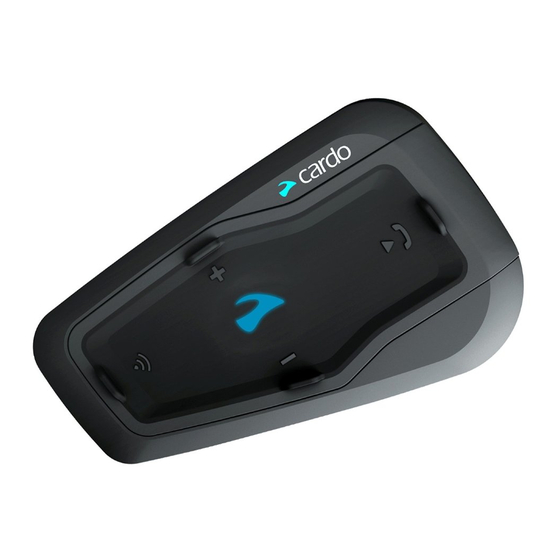
3.1 ЗНАКОМСТВО С УСТРОЙСТВОМ FREECOM 2
3.2 ВКЛЮЧЕНИЕ И ВЫКЛЮЧЕНИЕ УСТРОЙСТВА
Чтобы включить FREECOM 2:
● Нажмите и удерживайте и в течение 1 секунды. Динамик воспроизведет нарастающий сигнал и
голосовое сообщение «FREECOM 2 включен».
Независимо от заряда аккумулятора, светодиодный индикатор мигнет трижды голубым цветом, чтобы
обозначить, что устройство FREECOM 2 включено.
Чтобы выключить FREECOM 2:
● Коснитесь и .
Независимо от заряда аккумулятора, светодиодный индикатор мигнет трижды красным цветом, чтобы
обозначить, что устройство FREECOM 2 выключается. Динамик воспроизведет убывающий сигнал и
голосовое сообщение «До свидания».
При подключении устройства к зарядке оно выключается.
3.3 РАЗНЫЕ СПОСОБЫ ИСПОЛЬЗОВАНИЯ FREECOM 2
Различными функциями можно управлять любым из следующих способов:
● Нажатием кнопки или комбинации кнопок на устройстве.
● С помощью приложения SmartSet на мобильном устройстве (после его подключения к устройству).
● С помощью меню с голосовыми подсказками в сочетании с кнопками устройства или голосовым
управлением (VOX). Голосовое управление предназначено для управления FREECOM 2 без
использования рук. Когда меню с голосовыми подсказками перейдет на нужный вам пункт, произнесите
громко слово или фразу, и устройство FREECOM 2 выполнит соответствующее действие. Также можно
регулировать чувствительность микрофона для голосовой активации – см. Настройка основных
параметров FREECOM 2 с помощью приложения SmartSet на стр. 17.
В использовании функций FREECOM 2 будут помогать светодиодные индикаторы, звуковые сигналы и
голосовые уведомления, как описано в разделе Режимы и события FREECOM 2 – светодиодная индикация на
стр. 40.
В данном руководстве описан самый удобный способ или способы использования каждой функции.
6
Страница: 6
3.4 ОСНОВНЫЕ ФУНКЦИИ
Чтобы увеличить громкость текущего аудиоисточника:
● Коснитесь .
С каждым касанием динамик будет воспроизводить сигнал нарастающей громкости до тех пор, пока не
будет достигнута максимальная громкость, которой будет соответствовать сигнал максимальной
громкости.
Чтобы уменьшить громкость текущего аудиоисточника:
● Коснитесь .
С каждым касанием динамик будет воспроизводить более тихий сигнал до тех пор, пока не будет
достигнута минимальная громкость, которой будет соответствовать сигнал минимальной громкости.
Чтобы полностью заглушить микрофон и понизить громкость динамика до минимального уровня
при активном аудиоисточнике:
● Коснитесь и .
Динамик будет воспроизводить сигнал уменьшающейся громкости.
Технология автоматической регулировки усиления (AGC) используется для автоматической настройки
громкости устройства в зависимости от уровня окружающего шума и скорости движения. Чтобы изменить
чувствительность функции AGC, см. Настройка основных параметров FREECOM 2 с помощью приложения
SmartSet на стр. 17.
3.5 ПОДКЛЮЧЕНИЕ ВАШЕГО УСТРОЙСТВА К УСТРОЙСТВАМ BLUETOOTH
FREECOM 2 поддерживает два канала Bluetooth для подключения к устройствам Bluetooth, таким как
мобильные телефоны, GPS-навигаторы и музыкальные проигрыватели Bluetooth с поддержкой A2DP.
Подключение FREECOM 2 к устройству Bluetooth производится в режиме ожидания (см. Режимы и события
FREECOM 2 – светодиодная индикация на стр. 40). После подключения устройства, находящиеся в радиусе
действия, будут автоматически распознавать друг друга.
3.5.1 ПОДКЛЮЧЕНИЕ С ПОМОЩЬЮ КНОПОК УСТРОЙСТВА
Если вы подключаете несколько устройств, Cardo рекомендует подключать мобильный телефон к каналу 1,
а дополнительное устройство (например, GPS, музыкальный проигрыватель или второй мобильный
телефон) к каналу 2.
Чтобы подключить канал Bluetooth 1 к мобильному телефону:
1. Включите Bluetooth на мобильном телефоне.
2. Нажмите и удерживайте в течение 5 секунд. Светодиодный индикатор будет мигать красным и
голубым цветом.
3. Выполните поиск устройств Bluetooth на мобильном телефоне в соответствии с инструкциями к вашему
телефону.
4. Через несколько секунд FREECOM 2 появится в списке обнаруженных телефоном устройств. Выберите
его.
5. Если появится запрос на ввод PIN-кода или ключа доступа, введите «0000» (четыре нуля).
7
Страница: 7
6. На телефоне будет показано подтверждение об успешном подключении, а светодиодный индикатор
устройства будет мигать фиолетовым цветом в течение 2 секунд.
Чтобы подключить канал Bluetooth 2 к другому Bluetooth-устройству:
1. Включите Bluetooth на этом устройстве (например, мобильном телефоне, GPS-устройстве, музыкальном
проигрывателе).
2. Нажмите и удерживайте в течение 5 секунд. Светодиодный индикатор будет мигать красным и
голубым цветом.
3. Коснитесь дважды. Светодиод начинает мигать красным и зеленым.
Если вы подключаете GPS-устройство, обязательно выполните следующий шаг.
4. Если вы подключаете GPS-устройство, коснитесь . Светодиодный индикатор будет мигать медленнее.
5. Выполните поиск Bluetooth-устройств на том устройстве, которое вы подключаете (согласно
предоставленным с ним инструкциям).
6. Через несколько секунд FREECOM 2 появится в списке обнаруженных устройств. Выберите его.
7. Если появится запрос на ввод PIN-кода или ключа доступа, введите «0000» (четыре нуля).
8. На устройстве будет показано подтверждение об успешном подключении, а светодиодный индикатор
будет мигать фиолетовым цветом в течение 2 секунд.
● Если подключение не будет завершено в течение 2 минут, устройство автоматически перейдет в
режим ожидания.
● Если вы подключили два мобильных телефона напрямую к FREECOM 2, установите одно из них как
устройство по умолчанию для звонков (см. Установка мобильного телефона по умолчанию на стр. 26).
● Не все мобильные телефоны с Bluetooth поддерживают передачу музыки в режиме стерео по
Bluetooth (A2DP), даже если у телефона есть функция MP3-проигрывателя. Для получения более
подробной информации изучите руководство производителя вашего мобильного телефона.
● Не все GPS-устройства с функцией Bluetooth поддерживают подключение к аудиоустройствам
Bluetooth. Для получения более подробной информации изучите руководство GPS-устройства.
Чтобы отменить процесс подключения:
● Нажмите и удерживайте в течение 2 секунд. Светодиод перестает мигать красным и голубым или
красным и зеленым.
Чтобы сбросить все подключения устройств Bluetooth:
● Нажмите и удерживайте и в течение 5 секунд.
Независимо от состояния аккумулятора светодиод медленно мигнет пять раз, подтверждая сброс
подключений.
При сбросе всех подключений Bluetooth-устройств также выполняется сброс всех подключений
Bluetooth-интеркомов.
8
Страница: 8
3.5.2 ПОДКЛЮЧЕНИЕ С ПОМОЩЬЮ МЕНЮ С ГОЛОСОВЫМИ ПОДСКАЗКАМИ
Чтобы подключить FREECOM 2 к другим устройствам с помощью меню с голосовыми
подсказками:
1. Коснитесь и .
2. Находясь в меню с голосовыми подсказками на пункте «Дополнительные функции», коснитесь или
используйте голосовое управление.
3. Находясь в меню с голосовыми подсказками на нужном пункте, коснитесь или используйте голосовое
управление.
● Чтобы сбросить все подключения Bluetooth-интеркома, выберите пункт меню «Сбросить подключения
мобильных и GPS».
3.6 ПОДКЛЮЧЕНИЕ BLUETOOTH-ИНТЕРКОМА
FREECOM 2 поддерживает полнодуплексную интерком-связь по Bluetooth для общения с другим
мотоциклистом, использующим устройство Cardo или устройство стороннего производителя.
Чтобы подключить ваше устройство к другому устройству с функцией интерком-связи по Bluetooth, сначала
нужно связать их каналы.
● При наличии ранее подключенного устройства на канале, к которому выполняется подключение
нового устройства, старое подключение будет заменено новым.
● Если вы приобрели набор FREECOM 2 MultiSet, комплект включает два устройства, которые
изначально подключены друг к другу.
● Устройство FREECOM 2 можно использовать с большинством моделей Cardo для совершения
интерком-вызовов по Bluetooth. Кроме того, оно также совместимо с системой Schuberth SRC-System™.
Более подробные сведения о подключении и использовании вашего устройства FREECOM 2 с другими
устройствами Cardo см. по адресу www.cardosystems.com/freecomcompatibility.
3.6.1 ПОДКЛЮЧЕНИЕ BLUETOOTH-ИНТЕРКОМА К ДРУГИМ УСТРОЙСТВАМ CARDO
Чтобы подключить ваше устройство к другим устройствам Cardo с помощью кнопок устройства:
1. Убедитесь, что ваше устройство находится в режиме ожидания (светодиодный индикатор медленно
мигает).
2. Нажмите и удерживайте в течение 5 секунд на вашем устройстве. Светодиодный индикатор будет
мигать красным цветом.
3. На другом устройстве Cardo включите режим подключения Bluetooth-интеркома (см. руководство к
соответствующему устройству Cardo по адресу cardosystems.com/product-manuals/).
4. На устройстве будет показано подтверждение об успешном подключении, а светодиодный индикатор
будет мигать фиолетовым цветом в течение 2 секунд.
9
Страница: 9
● Чтобы отменить процесс подключения, нажмите и удерживайте в течение 2 секунд. Светодиод
перестает мигать.
● Если подключение не будет завершено в течение 2 минут, устройство автоматически перейдет в
режим ожидания.
● Чтобы сбросить все подключения Bluetooth-интеркома, находясь в режиме подключения Bluetooth-
интеркома:
● Нажмите и удерживайте и в течение 5 секунд. Светодиод медленно мигнет 5 раз,
подтверждая сброс подключений.
Чтобы подключить устройство FREECOM 2 к другим устройствам Cardo с помощью приложения
SmartSet:
1. Убедитесь, что ваше устройство находится в режиме ожидания (светодиодный индикатор медленно
мигает).
1. Откройте приложение SmartSet и коснитесь .
2. Коснитесь Bluetooth.
3. В разделе Мотоциклисты коснитесь Добавить (или Изменить, если хотите подключить канал к другому
мотоциклисту) и следуйте указаниям в меню на экране.
4. На другом устройстве Cardo включите режим Bluetooth-интеркома (см. руководство к соответствующему
устройству Cardo по адресу cardosystems.com/product-manuals/).
5. На устройстве будет показано подтверждение об успешном подключении, а светодиодный индикатор
будет мигать фиолетовым цветом в течение 2 секунд.
● Чтобы сбросить все подключения Bluetooth-интеркома, коснитесь Удалить все.
Чтобы подключить устройство FREECOM 2 к другим устройствам Cardo с помощью меню с
голосовыми подсказками:
1. Убедитесь, что ваше устройство находится в режиме ожидания (светодиодный индикатор медленно
мигает).
2. Коснитесь и .
3. Находясь в меню с голосовыми подсказками на пункте «Дополнительные функции», коснитесь или
используйте голосовое управление.
4. Находясь в меню с голосовыми подсказками на пункте «Подключение интеркома», коснитесь или
используйте голосовое управление.
5. На другом устройстве Cardo включите режим подключения Bluetooth-интеркома (см. руководство к
соответствующему устройству Cardo по адресу cardosystems.com/product-manuals/).
6. На устройстве будет показано подтверждение об успешном подключении, а светодиодный индикатор
будет мигать фиолетовым цветом в течение 2 секунд.
10
Страница: 10
3.6.2 ПОДКЛЮЧЕНИЕ BLUETOOTH-ИНТЕРКОМА К УСТРОЙСТВАМ СТОРОННИХ
ПРОИЗВОДИТЕЛЕЙ
С помощью Cardo Gateway устройства Cardo можно подключать к устройствам сторонних производителей по
Bluetooth.
Чтобы подключить устройство FREECOM 2 к устройствам сторонних производителей с помощью
кнопок устройства:
1. Убедитесь, что ваше устройство находится в режиме ожидания (светодиодный индикатор медленно
мигает).
2. Нажмите и удерживайте в течение 5 секунд на вашем устройстве. Светодиодный индикатор будет
мигать красным цветом.
3. Коснитесь , чтобы включить Cardo Gateway. Светодиодный индикатор будет мигать красным и голубым
цветом.
4. На стороннем устройстве включите режим подключения Bluetooth (см. руководство к соответствующему
устройству).
5. На устройстве будет показано подтверждение об успешном подключении, а светодиодный индикатор
будет мигать фиолетовым цветом в течение 2 секунд.
● Чтобы отменить процесс подключения, нажмите и удерживайте в течение 2 секунд. Светодиод
перестает мигать.
● Если подключение не будет завершено в течение 2 минут, устройство автоматически перейдет в
режим ожидания.
● Чтобы сбросить все подключения Bluetooth-интеркома, находясь в режиме подключения Bluetooth-
интеркома:
● Нажмите и удерживайте и в течение 5 секунд. Светодиод медленно мигнет 5 раз,
подтверждая сброс подключений.
Чтобы подключить устройство FREECOM 2 к устройствам сторонних производителей с помощью
приложения SmartSet:
1. Убедитесь, что ваше устройство находится в режиме ожидания (светодиодный индикатор медленно
мигает).
2. Откройте приложение SmartSet и коснитесь .
3. Коснитесь Bluetooth.
4. В разделе Мотоциклисты коснитесь Добавить (или Изменить, если хотите подключить канал к другому
мотоциклисту) и следуйте указаниям в меню на экране.
5. На стороннем устройстве включите режим подключения Bluetooth (см. руководство к соответствующему
устройству).
6. На устройстве будет показано подтверждение об успешном подключении, а светодиодный индикатор
будет мигать фиолетовым цветом в течение 2 секунд.
11
Страница: 11
Чтобы подключить устройство FREECOM 2 к устройствам сторонних производителей с помощью
меню с голосовыми подсказками:
1. Убедитесь, что ваше устройство находится в режиме ожидания (светодиодный индикатор медленно
мигает).
2. Коснитесь и .
3. Находясь в меню с голосовыми подсказками на пункте «Дополнительные функции», коснитесь или
используйте голосовое управление.
4. Находясь в меню с голосовыми подсказками на пункте «Подключение Cardo Gateway», коснитесь или
используйте голосовое управление.
5. На стороннем устройстве включите режим подключения Bluetooth (см. руководство к соответствующему
устройству).
6. На устройстве будет показано подтверждение об успешном подключении, а светодиодный индикатор
будет мигать фиолетовым цветом в течение 2 секунд.
12
Страница: 12
4. ПЕРЕД ПОЕЗДКОЙ
Настройте FREECOM 2 в соответствии с собственными предпочтениями одним из следующих способов:
● Приложение SmartSet для iOS / Android (см. Настройка FREECOM 2 с помощью приложения SmartSet на
стр. 17).
● Cardo Community для Windows / Mac — минимальные требования — Windows® 7 / Mac OS X 10.8 (см.
Настройка FREECOM 2 с помощью Cardo Community на стр. 22).
● Кнопки устройства.
● Голосовое меню настройки на устройстве.
Компания Cardo рекомендует производить настройку устройства не в пути, а заранее.
Объект
Значение по
умолчанию
Описание
Приложение
SmartSet
(iOS/Android)
Cardo
Community
Голосовое
меню
настройки
Чувствительность AGC
(выкл./низкая/средняя/высокая)
Средняя Технология AGC
используется для
автоматической
настройки
громкости
устройства в
зависимости от
уровня
окружающего
шума и скорости
движения.
Например, если
чувствительность
задана низкой,
громкость
увеличится при
более высоком
уровне шума.
ü ü ü
Приоритет аудио
(A2DP/Bluetooth-интерком)
Bluetooth-
интерком
Приоритет
аудиоисточника,
который
воспроизводится
через динамики.
Либо музыка не
прерывается
вызовом
интеркома, либо
наоборот.
ü ü ü
13
Страница: 13
Объект
Значение по
умолчанию
Описание
Приложение
SmartSet
(iOS/Android)
Cardo
Community
Голосовое
меню
настройки
Громкость фонового
аудиопотока
Н/П Громкость
фонового
аудиопотока,
если включена
параллельная
потоковая
передача аудио
(см.
Параллельная
потоковая
передача аудио
(вкл./выкл.) ниже).
ü û û
Название Bluetooth-устройства FREECOM 2 Название,
которое
отображается на
телефоне при
подключении, а
также в
приложении
SmartSet.
ü ü û
Параметры Click-to-Link
(вкл./выкл.)
Вкл. Быстрый способ
начать
двухсторонний
интерком-вызов
с пассажиром или
находящимся
поблизости
водителем Cardo
без
необходимости
осуществлять
подключение.
ü ü ü
Загрузка обновлений
встроенного ПО
Н/П Чтобы на вашем
устройстве была
самая новая
версия ПО,
загружайте
обновления ПО
по мере их
появления (см.
Настройка
основных
параметров
FREECOM 2 с
помощью Cardo
Community на
стр. 22.
û ü û
14
Страница: 14
Объект
Значение по
умолчанию
Описание
Приложение
SmartSet
(iOS/Android)
Cardo
Community
Голосовое
меню
настройки
FM-диапазон В
соответствии
с вашим
регионом
Если вы
находитесь в
Японии,
выберите
Япония. В ином
случае выберите
Весь мир.
ü ü û
Язык В
соответствии
с вашим
регионом
Язык голосовых
оповещений и
меню с
голосовыми
подсказками (см.
«Голосовые
оповещения о
состоянии»
ниже).
Чтобы
выбрать язык,
который
отсутствует в
вашем
регионе,
сначала
нужно
изменить
регион в
Cardo
Community.
ü ü ü
Основной мобильный Мобильный 1 Если вы
подключили
устройство ко
двум мобильным
телефонам, один
из них нужно
установить в
качестве
основного
телефона для
исходящих
вызовов.
ü û û
15
Страница: 15
Объект
Значение по
умолчанию
Описание
Приложение
SmartSet
(iOS/Android)
Cardo
Community
Голосовое
меню
настройки
Параллельная потоковая
передача аудио (вкл./выкл.)
Вкл. Можно
прослушивать
два
аудиоисточника
одновременно.
Например,
получать
указания GPS во
время
прослушивания
музыки.
При
использовани
и некоторых
устройств iOS
могут
действовать
ограничения.
ü ü ü
RDS (вкл./выкл.) Выкл. Система
радиотрансляции
данных (RDS)
обеспечивает
автоматическую
перенастройку
радио на
наиболее
мощную частоту,
доступную для
FM-станции,
которую вы
прослушиваете,
когда сигнал
становится
слишком слабым.
ü ü ü
Заданные номера быстрого
набора
Пусто Предварительно
заданные номера
для
автоматического
набора.
ü û
6 предварительно сохраненных
FM-радиостанций
107.5 Предварительно
сохраненные FM-
радиостанции.
ü ü û
Голосовые оповещения о
состоянии (вкл./выкл.)
Вкл. Голосовые
оповещения
позволяют
определить, к
какому абоненту
или устройству
вы подключены.
ü ü ü
16
Страница: 16
Объект
Значение по
умолчанию
Описание
Приложение
SmartSet
(iOS/Android)
Cardo
Community
Голосовое
меню
настройки
Голосовое управление
(вкл./выкл.)
Вкл. Активация
определенных
функций с
помощью голоса
без
использования
рук.
ü ü ü
Чувствительность голосового
управления
(низкая/средняя/высокая)
Средняя Регулировка
чувствительности
микрофона при
использовании
голосового
управления в
поездке.
Например, при
большой
громкости
окружающего
шума и низкой
чувствительности
голосового
управления
говорить нужно
громко.
ü ü ü
Эффективность функций AGC и голосового управления может варьироваться в зависимости от внешних
условий, включая скорость движения, тип шлема и уровень шума. Для увеличения эффективности
рекомендуется уменьшить воздействие ветра на микрофон, закрыв визор шлема, а также использовать
микрофон с большой губкой.
4.1 НАСТРОЙКА FREECOM 2 С ПОМОЩЬЮ ПРИЛОЖЕНИЯ SMARTSET
FREECOM 2 можно настроить с помощью приложения SmartSet, которое можно установлить на мобильный
телефон с Google Play Store или Apple App Store.
Минимальные требования к операционной системе для работы SmartSet:
● Android: 4.0 и выше
● IOS: 8 и выше
4.1.1 НАСТРОЙКА ОСНОВНЫХ ПАРАМЕТРОВ FREECOM 2 С ПОМОЩЬЮ ПРИЛОЖЕНИЯ
SMARTSET
Чтобы настроить FREECOM 2 с помощью приложения SmartSet:
1. Убедитесь, что ваше устройство подключено к мобильному устройству, на котором установлено
приложение SmartSet.
17
Страница: 17
2. Откройте приложение SmartSet и коснитесь :
.
3. Будет показан следующий экран.
4. Используйте соответствующее меню для настройки параметров FREECOM 2:
● – функции FREECOM 2:
18
Страница: 18
Группа Описание/настройки
МОЕ УСТРОЙСТВО ● Изменение названия устройства.
ЯЗЫК ● Выбор языка.
Голосовые оповещения о состоянии ● Включение/выключение.
Голосовое управление ● Включение и выключение голосового управления.
● Настройка чувствительности голосового управления (низкая,
средняя или высокая).
AGC ● Включение и выключение AGC.
● Настройка чувствительности AGC (низкая, средняя или высокая).
ФУНКЦИИ ● Включение/выключение Click-to-link.
● Включение/выключение переключения от интеркома к
телефону.
● Включение/выключение параллельной потоковой передачи
аудио.
● Настройка приоритета A2DP/IC (A2DP или интерком).
● Настройка Региона FM-диапазона (весь мир или Япония).
Сброс до заводских настроек ● Сброс настроек устройства до заводских.
● – управление устройствами и пассажирами/находящимися поблизости водителями.
● – настройка уровня для каждого аудиоисточника (мобильный телефон, интерком,
музыка, FM-радио, уведомления, параллельная потоковая передача аудио).
● – настройки приложения SmartSet и общие сведения.
● – ЧаВо, отправить электронное письмо СЛУЖБЕ ПОДДЕРЖКИ Cardo,
ОТЗЫВЫ.
4.1.2 НАСТРОЙКА FM-РАДИО
FREECOM 2 включает встроенное FM-радио с возможностью сохранить до шести станций и системой
радиотрансляции данных (RDS). Эти функции описаны в следующих разделах.
4.1.2.1 НАСТРОЙКА FM-ДИАПАЗОНА
Частоты FM-диапазона по умолчанию установлены по стандарту «Весь мир». Если вы находитесь в Японии, FM-
диапазон нужно изменить.
Чтобы задать FM-диапазон:
1. Откройте приложение SmartSet и коснитесь :
2. Коснитесь .
19
Страница: 19
3. В разделе ФУНКЦИИ перейдите к пункту Регион FM-диапазона и коснитесь Весь мир или Япония.
4.1.2.2 РУЧНАЯ НАСТРОЙКА FM-РАДИО
Сохраненные FM-радиостанции можно настроить вручную или с помощью автоматической настройки (см.
Автоматическая настройка FM-радио на стр. 21).
Чтобы настроить шесть сохраненных FM-радиостанций вручную:
1. На главном экране коснитесь пункта FM.
2. Нажимайте нужный пункт, пока не появится следующий экран:
20
Страница: 20
3. Введите частоту FM-станцию и коснитесь кнопки «ОК».
4. Чтобы удалить сохраненную станцию, коснитесь кнопки УДАЛИТЬ.
● Сохраненную радиостанцию 1 нельзя удалить.
● Во время сканирования радиостанций удаленные радиостанции будут пропущены. При сканировании
станций автоматически выполняется переход на следующую сохраненную станцию. Более подробные
сведения см. в разделе Прослушивание FM-радио на стр. 33.
4.1.2.3 АВТОМАТИЧЕСКАЯ НАСТРОЙКА FM-РАДИО
Сохраненные FM-радиостанции FREECOM 2 можно настраивать с помощью автоматического сканирования,
при котором устройство автоматически находит FM-станции и временно сохраняет их.
Чтобы временно настроить шесть FM-радиостанций с помощью автоматической настройки:
1. На главном экране коснитесь пункта FM.
2. Нажмите . Будут временно сохранены шесть FM-радиостанций с самым сильным сигналом.
4.1.2.4 НАСТРОЙКА СИСТЕМЫ RDS FM-РАДИО С ПОМОЩЬЮ ПРИЛОЖЕНИЯ SMARTSET
Система радиотрансляции данных (RDS) обеспечивает автоматическую перенастройку FM-радио на наиболее
мощную частоту, доступную для FM-станции, которую вы прослушиваете, когда ее сигнал становится слишком
слабым.
21
Страница: 21
Чтобы включить или выключить RDS:
1. На главном экране коснитесь пункта FM.
2. Коснитесь . Система RDS будет включена или выключена.
4.2 НАСТРОЙКА FREECOM 2 С ПОМОЩЬЮ CARDO COMMUNITY
Один из способов настройки FREECOM 2: подключите устройство к компьютеру с помощью поставляемого с
ним USB-кабеля и запустите Cardo Updater, соединив компьютер с веб-сайтом Cardo Community.
Минимальные требования к операционной системе для работы Cardo Updater:
● Windows® 7;
● Mac OS X 10.8.
4.2.1 УСТАНОВКА CARDO UPDATER НА КОМПЬЮТЕР
Чтобы установить Cardo Updater на компьютер:
1. Перейдите по адресу http://cardosystems.com/cardo-community/, зарегистрируйтесь и выполните вход в
систему.
2. Загрузите приложение Cardo Update по предоставленной ссылке и установите его на компьютер.
4.2.2 НАСТРОЙКА ОСНОВНЫХ ПАРАМЕТРОВ FREECOM 2 С ПОМОЩЬЮ CARDO COMMUNITY
Чтобы настроить FREECOM 2 с помощью Cardo Community:
1. Запустите Cardo Updater.
2. С помощью поставляемого с устройством USB-кабеля подключите FREECOM 4 к USB-разъему
компьютера.
3. Если вы подключаете устройство впервые, появится экран Редактировать мой профиль. Выберите
пункт НАСТРОЙКИ.
22
Страница: 22
4. Откроется окно ОБЩИЕ НАСТРОЙКИ:
5. Задайте предпочитаемые настройки для каждой функции, руководствуясь приведенным описаниям.
Если появится новая версия встроенного ПО, следуйте указаниям на экране, чтобы устройство FREECOM 2
получило самые новые функции.
4.2.3 НАСТРОЙКА FM-РАДИО С ПОМОЩЬЮ CARDO COMMUNITY
Чтобы настроить шесть сохраненных FM-радиостанций с помощью Cardo Community:
1. Прокрутите вниз до раздела СОХРАНЕННЫЕ FM-РАДИОСТАНЦИИ.
2. На пункте FM-диапазон:
● Если вы находитесь в Японии, выберите Япония.
23
Страница: 23
● В ином случае выберите Весь мир.
3. На сохраненной станции, которую хотите изменить, щелкните .
4. Введите частоту FM-станцию и нажмите Ввод.
Также для настройки частоты можно использовать голубые стрелки влево и вправо на шкале частоты.
5. Чтобы удалить сохраненную станцию, щелкните .
Сохраненную радиостанцию 1 нельзя удалить.
4.3 НАСТРОЙКА FREECOM 2 С ПОМОЩЬЮ ГОЛОСОВОГО МЕНЮ НАСТРОЙКИ
FREECOM 2 можно настроить с помощью меню с голосовыми подсказками в сочетании с кнопками устройства
или голосовым управлением.
Чтобы настроить FREECOM 2 с помощью голосового меню настройки:
1. Убедитесь, что ваше устройство находится в режиме ожидания (светодиодный индикатор медленно
мигает).
2. Нажмите и удерживайте и в течение 2 секунд.
3. Находясь в меню с голосовыми подсказками на нужном пункте («Язык», «Приоритет аудио A2DP»,
«Голосовые оповещения о состоянии», «Click-to-Link», «AGC», «RDS», «Чувствительность голосового
управления», «Голосовое управление», «Параллельная потоковая передача аудио»), коснитесь или
используйте голосовое управление для выбора.
4.4 ИСПОЛЬЗОВАНИЕ ПАРАЛЛЕЛЬНОЙ ПОТОКОВОЙ ПЕРЕДАЧИ АУДИО
Благодаря параллельной потоковой передаче аудио можно прослушивать указания GPS-устройства во время
интерком-вызова по мобильному или Bluetooth, а также во время прослушивания других источников аудио,
таких как музыка или FM-радио.
24
Страница: 24
При использовании некоторых устройств iOS могут действовать ограничения.
Устройство FREECOM 2 помещает различные источники аудио либо на передний план (громкость не
меняется), либо на фон (громкость уменьшается), согласно следующей таблице:
Мобильный
телефон 1/2
GPS Интерком 1 Интерком 2 Музыка FM-радио
Передний план Передний план
Передний план1 Передний план1
Передний план Передний план
Передний план Фон
Передний план Фон
Передний план Фон
Передний план Фон
Передний
план2
Передний план
3
1В случае добавления интерком-вызова к вызову по мобильному телефону для организации конференц-
вызова громкость обоих источников аудио не меняется.
2Если воспроизводится только музыка, громкость музыки не меняется.
3Если воспроизводится только FM-радио, громкость FM-радио не меняется.
В некоторых случаях параллельная потоковая передача аудио может работать неправильно из-за
ограничений подключенных устройств (музыкального проигрывателя или GPS-навигатора).
Дополнительные сведения см. в ВОПРОСЫ-ОТВЕТЫ на стр. 37.
Совместное прослушивание музыки нельзя использовать для разговоров с пассажиром во время
параллельной потоковой передачи аудио.
Настройка параллельной потоковой передачи аудио:
● Приложение SmartSet – см. Настройка основных параметров FREECOM 2 с помощью приложения
SmartSet на стр. 17.
● Cardo Community – см. Настройка основных параметров FREECOM 2 с помощью Cardo Community на стр.
22.
4.5 ПРИОРИТЕТ АУДИОИСТОЧНИКОВ
Если параллельная потоковая передача аудио выключена, FREECOM 2 управляет аудиоисточниками, которые
воспроизводятся через динамики, в соответствии с описанным ниже приоритетом.
25
Страница: 25
Приоритет Аудиоисточник
Более высокий приоритет
↑
Более низкий приоритет
Мобильный телефон, указания GPS-устройства
Интерком (Click-to-Link) или музыка1
Музыка или интерком (Click-to-Link)2
FM-радио
1Если приоритет аудио установлен на «Интерком», во время интерком-вызова звуки приложения навигации и
SMS-сообщений с телефона не воспроизводятся.
2Если приоритет аудио установлен на «A2DP» (музыка), интерком-связь отключена во время прослушивания
музыки (по A2DP). Пассажир или находящийся поблизости мотоциклист, позвонивший вам по интеркому,
услышит звук, обозначающий, что вы не можете принять вызов.
● У всех режимов интеркома приоритет одинаковый, поэтому текущие интерком-вызовы не будут
прерываться другими интерком-вызовами.
● У интерком-вызовов по Bluetooth и вызовов Click-to-Link одинаковый приоритет, поэтому вызовы Click-
to-Link не будут прерываться интерком-вызовами по Bluetooth и наоборот.
4.6 УСТАНОВКА МОБИЛЬНОГО ТЕЛЕФОНА ПО УМОЛЧАНИЮ
Если вы подключили устройство ко двум мобильным телефонам, один из них нужно установить в качестве
основного телефона для исходящих вызовов.
Чтобы установить телефон по умолчанию с помощью приложения SmartSet:
1. Убедитесь, что ваше устройство находится в режиме ожидания (светодиодный индикатор медленно
мигает).
2. Откройте приложение SmartSet и коснитесь :
3. Коснитесь .
4. Коснитесь пункта ПРИОРИТЕТ для мобильного телефона, который нужно сделать телефоном по
умолчанию.
Чтобы установить телефон по умолчанию с помощью интерфейса устройства:
● Во время разговора по мобильному удерживайте в течение 5 секунд.
26
Страница: 26
4.7 ПРОВЕРКА СОСТОЯНИЯ АККУМУЛЯТОРА С ПОМОЩЬЮ SMARTSET
Просмотр состояния аккумулятора на мобильном телефоне
Если на ваш телефон установлено приложение SmartSet, состояние аккумулятора устройства можно
определить с помощью индикатора, размещенного в нижнем правом углу этого приложения, а также в строке
состояния.
Если уровень заряда аккумулятора FREECOM 2 достигнет 20%, вы услышите голосовое уведомление,
предупреждающее о низком уровне аккумулятора.
27
Страница: 27
5. В ПУТИ
5.1 СОВЕРШЕНИЕ И ПРИЕМ ТЕЛЕФОННЫХ ВЫЗОВОВ
Если ваш мобильный телефон подключен к устройству FREECOM 2, совершать и принимать вызовы можно
в обычном режиме.
5.1.1 СОВЕРШЕНИЕ ТЕЛЕФОННЫХ ВЫЗОВОВ
Телефонные вызовы нельзя совершать во время вызовов по мобильному.
Чтобы совершить телефонный вызов с помощью кнопок устройства:
● С помощью функции голосового набора мобильного телефона – коснитесь и .
● Набор установленного по умолчанию номера быстрого набора – коснитесь трижды.
● Повторный набор последнего использованного номера – нажмите и удерживайте в течение 2 секунд.
Чтобы совершить телефонный вызов с помощью приложения SmartSet:
● В приложении SmartSet коснитесь пункта Телефон, а затем выполните одно из следующих действий:
● коснитесь ПОВТОРНЫЙ НАБОР.
● коснитесь ГОЛОСОВОЙ НАБОР.
Чтобы совершить телефонный вызов с помощью меню с голосовыми подсказками:
1. Убедитесь, что ваше устройство находится в режиме ожидания (светодиодный индикатор медленно
мигает).
2. Коснитесь и .
3. Находясь в меню с голосовыми подсказками на нужном пункте («Голосовой набор», «Повторный набор»
или «Быстрый набор»), коснитесь или используйте голосовое управление.
5.1.2 ПРИЕМ ТЕЛЕФОННЫХ ВЫЗОВОВ
Чтобы принять телефонный вызов с помощью кнопок устройства:
● Коснитесь или .
Чтобы принять телефонный вызов с помощью голосового управления:
● Громко произнесите любое слово.
5.1.3 ОТКЛОНЕНИЕ ТЕЛЕФОННЫХ ВЫЗОВОВ
Чтобы отклонить телефонный вызов с помощью кнопок устройства:
● Удерживайте в течение 2 секунд.
Чтобы отклонить телефонный вызов с помощью голосового управления:
● Молчите в течение 30 секунд.
28
Страница: 28
5.1.4 ЗАВЕРШЕНИЕ ТЕЛЕФОННЫХ ВЫЗОВОВ
Чтобы завершить телефонный вызов с помощью кнопок устройства:
● Коснитесь .
Чтобы завершить телефонный вызов с помощью приложения SmartSet:
1. На главном экране коснитесь пункта ТЕЛЕФОН.
2. Нажмите ЗАВЕРШИТЬ ВЫЗОВ.
5.1.5 ПЕРЕКЛЮЧЕНИЕ МЕЖДУ ДВУМЯ ВЫЗОВАМИ НА ДВУХ МОБИЛЬНЫХ ТЕЛЕФОНАХ,
ПОДКЛЮЧЕННЫХ К ВАШЕМУ УСТРОЙСТВУ
Устройство FREECOM 2 может переключаться между двумя вызовами на двух мобильных телефонах, если оба
телефона подключены к вашему устройству.
Чтобы переключаться между двумя вызовами на двух мобильных телефонах с помощью кнопок
устройства:
● Коснитесь дважды.
5.1.6 ЗАВЕРШЕНИЕ ТЕКУЩЕГО ВЫЗОВА И ПЕРЕКЛЮЧЕНИЕ НА ВТОРОЙ ВЫЗОВ
Если к вашему устройству подключены два мобильных телефона и нужно завершить текущий
вызов и переключиться на вызов на втором телефоне, можно использовать кнопки устройства:
● Коснитесь .
5.2 СОВЕРШЕНИЕ И ПРИЕМ ИНТЕРКОМ-ВЫЗОВОВ ПО BLUETOOTH
● Чтобы совершать и принимать интерком-вызовы по Bluetooth, сначала нужно подключить Bluetooth, см
Подключение Bluetooth-интеркома на стр. 9.
5.2.1 ИНТЕРКОМ-ВЫЗОВ ПО BLUETOOTH
Создать интерком-вызов по Bluetooth с пассажиром или водителем можно одним из приведенных
ниже способов:
● С помощью кнопок устройства: коснитесь .
● Используйте голосовое управление.
● С помощью приложения SmartSet: На экране ИНТЕРКОМ коснитесь пункта Канал A.
● С помощью меню с голосовыми подсказками:
a. Коснитесь и .
b. Находясь в меню с голосовыми подсказками на пункте «Интерком-вызов», коснитесь или
используйте голосовое управление.
Завершить интерком-вызов по Bluetooth можно одним из приведенных ниже способов:
● Чтобы закрыть активное подключение Bluetooth-интеркома, коснитесь .
● С помощью приложения SmartSet: На экране ИНТЕРКОМ коснитесь пункта Завершить A.
29
Страница: 29
Если вы организовали интерком-вызов по Bluetooth с помощью голосового управления и не произносите
ничего в течение 30 секунд, вызов будет завершен.
5.2.2 ПРИЕМ ИНТЕРКОМ-ВЫЗОВОВ ПО BLUETOOTH
● Если вам поступит интерком-вызов по Bluetooth сдругого подключенного устройства, вызов начнется
автоматически.
● Чтобы получать интерком-вызовы по Bluetooth от устройств, которые не подключены к вашему, см.
Вызовы Click-To-Link на стр. 30.
5.2.3 ОРГАНИЗАЦИЯ КОНФЕРЕНЦ-СВЯЗИ МЕЖДУ ВЫЗОВОМ ПО МОБИЛЬНОМУ И
ИНТЕРКОМ-ВЫЗОВОМ ПО BLUETOOTH
Устройство позволяет организовать конференц-связь, включающую вызов по мобильному телефону и
интерком-вызов по Bluetooth.
Чтобы добавить интерком-вызов по Bluetooth к текущему вызову по мобильному телефону:
● Чтобы добавить пассажира или находящегося поблизости мотоциклиста к вызову, коснитесь .
Отключить интерком-вызов по Bluetooth от вызова по мобильному телефону можно одним из
приведенных ниже способов:
● Чтобы закрыть активное подключение Bluetooth-интеркома, нажмите и удерживайте в течение 2
секунд.
● С помощью приложения SmartSet: На экране ИНТЕРКОМ отключите активный канал.
После отключения интерком-вызова по Bluetooth можно продолжать общение по мобильному телефону.
Аналогично, если сначала отключить вызов по мобильному телефону, можно продолжать общение по
Bluetooth.
5.2.4 СИГНАЛ ЗАНЯТОСТИ BLUETOOTH-ИНТЕРКОМА
При попытке совершения интерком-вызова по Bluetooth будет воспроизведен сигнал «занято», если
пассажир/находящийся поблизости мотоциклист участвует в телефонном вызове.
5.2.5 ВЫЗОВЫ CLICK-TO-LINK
Click-To-Link – это быстрый способ начать двухсторонний интерком-вызов с другим пассажиром или
водителем, который находится поблизости, без необходимости осуществлять подключение.
● Если поблизости находятся другие пользователи Cardo, при следующем вызове Click-to-Link вы
подключитесь к одному из них в случайном порядке.
● Чтобы заблокировать входящие вызовы Click-to-Link, отключите Click-to-Link (см. Перед поездкой на
стр. 13).
Чтобы совершить вызов Click-to-Link с помощью приложения SmartSet:
1. Откройте приложение SmartSet и коснитесь Интерком.
2. Коснитесь CLICK TO LINK.
Чтобы завершить вызов Click-to-Link с помощью кнопок устройства:
● Коснитесь .
30
Страница: 30
Чтобы принять вызов Click-to-Link с помощью кнопок устройства:
● Коснитесь .
Чтобы отклонить вызов Click-to-Link с помощью кнопок устройства:
● Удерживайте в течение 2 секунд.
Чтобы принять вызов Click-to-Link с помощью голосового управления:
● Громко произнесите любое слово.
5.3 ПРОСЛУШИВАНИЕ МУЗЫКИ И РАДИО
5.3.1 ПРОСЛУШИВАНИЕ МУЗЫКИ
Запустить потоковую передачу музыки с подключенного устройство можно одним из
приведенных ниже способов:
● С помощью кнопок устройства: коснитесь .
● С помощью приложения SmartSet: коснитесь МУЗЫКА.
● С помощью меню с голосовыми подсказками:
a. Коснитесь и .
b. Находясь в меню с голосовыми подсказками на пункте «Включить музыку», коснитесь или
используйте голосовое управление.
Чтобы остановить потоковую передачу музыки, выполните одно из следующих действий:
● С помощью кнопок устройства: удерживайте в течение 2 секунд.
● С помощью приложения SmartSet: на экране МУЗЫКА коснитесь кнопки .
● С помощью меню с голосовыми подсказками:
a. Коснитесь и .
b. Находясь в меню с голосовыми подсказками на пункте «Выключить музыку», коснитесь или
используйте голосовое управление.
Чтобы воспроизвести следующую дорожку (во время потокового воспроизведения музыки),
выполните одно из следующих действий:
● С помощью кнопок устройства: коснитесь .
● С помощью приложения SmartSet: на экране МУЗЫКА коснитесь кнопки .
Чтобы воспроизвести предыдущую дорожку (во время потокового воспроизведения музыки),
выполните одно из следующих действий:
● С помощью кнопок устройства: коснитесь дважды.
● С помощью приложения SmartSet: на экране МУЗЫКА коснитесь кнопки .
31
Страница: 31
Чтобы выполнить сканирование дорожек вперед (во время потокового воспроизведения музыки)
и воспроизвести нужную, выполните одно из следующих действий:
● С помощью кнопок устройства:
a. Коснитесь и . При использовании функции сканирования вперед каждые несколько секунд
происходит автоматическое переключение на следующую дорожку.
b. Когда услышите дорожку, которую хотите прослушать, коснитесь или используйте голосовое
управление.
● С помощью приложения SmartSet:
a. На экране МУЗЫКА в разделе СКАНИРОВАНИЕ МУЗЫКИ коснитесь кнопки . При использовании
функции сканирования вперед каждые несколько секунд происходит автоматическое переключение
на следующую дорожку.
b. Когда услышите дорожку, которую хотите прослушать, на экране МУЗЫКА в разделе
СКАНИРОВАНИЕ МУЗЫКИ коснитесь .
● С помощью меню с голосовыми подсказками:
a. Коснитесь и .
b. Находясь в меню с голосовыми подсказками на пункте «Сканировать дорожки вперед», коснитесь
или используйте голосовое управление.
c. Когда услышите дорожку, которую хотите прослушать, коснитесь или используйте голосовое
управление.
Чтобы выполнить сканирование дорожек назад (во время потокового воспроизведения музыки) и
воспроизвести нужную:
● С помощью приложения SmartSet:
a. На экране МУЗЫКА в разделе СКАНИРОВАНИЕ МУЗЫКИ коснитесь кнопки . При использовании
функции сканирования назад каждые несколько секунд происходит автоматическое переключение на
предыдущую дорожку.
b. Когда услышите дорожку, которую хотите прослушать, на экране МУЗЫКА в разделе
СКАНИРОВАНИЕ МУЗЫКИ коснитесь .
● С помощью меню с голосовыми подсказками:
a. Коснитесь и .
b. Находясь в меню с голосовыми подсказками на пункте «Сканировать дорожки назад», коснитесь .
c. Когда услышите дорожку, которую хотите прослушать, коснитесь или используйте голосовое
управление.
5.3.1.1 ПЕРЕКЛЮЧЕНИЕ ИСТОЧНИКОВ МУЗЫКИ
Если к FREECOM 2 подключено два источника музыки (A2DP), устройство использует аудиоисточник, с которого
музыка воспроизводилась в предыдущий раз.
32
Страница: 32
Чтобы переключиться на другой аудиоисточник:
1. Остановите воспроизведение музыки (A2DP) с текущего устройства (см. Прослушивание музыки на стр.
31).
2. Запустите воспроизведение музыки (A2DP) с другого устройства (см. Прослушивание музыки на стр. 31).
FREECOM 2 автоматически запомнит устройство, с которого выполнялось воспроизведение.
5.3.2 ПРОСЛУШИВАНИЕ FM-РАДИО
Чтобы включить FM-радио, выполните одно из следующих действий:
При включении FM-радио начнется воспроизведение той радиостанции, которую вы прослушивали перед
предыдущим выключением.
● С помощью кнопок устройства: коснитесь дважды.
● С помощью приложения SmartSet: на экране FM коснитесь кнопки ВКЛ./ВЫКЛ..
● С помощью меню с голосовыми подсказками:
a. Коснитесь и .
b. Находясь в меню с голосовыми подсказками на пункте «Включить радио», коснитесь или
используйте голосовое управление.
Чтобы выключить FM-радио, выполните одно из следующих действий:
● С помощью кнопок устройства: удерживайте в течение 2 секунд.
● С помощью приложения SmartSet: на экране FM коснитесь кнопки Вкл./Выкл.
● С помощью меню с голосовыми подсказками:
a. Коснитесь и .
b. Находясь в меню с голосовыми подсказками на пункте «Выключить радио», коснитесь или
используйте голосовое управление.
Чтобы переключиться на другую предварительно сохраненную радиостанцию:
● При использовании кнопок устройства, выполните одно из следующих действий:
● коснитесь , чтобы перейти на следующую сохраненную радиостанцию;
● коснитесь дважды, чтобы перейти на предыдущую сохраненную радиостанцию.
● С помощью приложения SmartSet: На экране FM выберите касанием нужную радиостанцию.
Чтобы найти следующую доступную станцию:
● С помощью приложения SmartSet: На экране FM выполните одно из следующих действий:
● коснитесь ;
● коснитесь ;
Чтобы выполнить сканирование доступных радиостанций и выбрать нужную станцию:
● С помощью кнопок устройства:
33
Страница: 33
a. Коснитесь и . FM-радио воспроизводит каждую найденную станцию в течение нескольких
секунд.
b. Когда услышите станцию, которую хотите выбрать, коснитесь или используйте голосовое
управление.
● С помощью меню с голосовыми подсказками:
a. Коснитесь и .
b. Находясь в меню с голосовыми подсказками на пункте «Сканировать станции вверх», коснитесь
или используйте голосовое управление.
Чтобы сохранить найденную в процессе сканирования станцию:
● С помощью кнопок устройства: коснитесь в течение 20 секунд после остановки сканирования.
Чтобы эффективно управлять сохраненными станциями с помощью Cardo Community, см. Настройка FM-
радио с помощью Cardo Community на стр. 23.
Чтобы эффективно управлять сохраненными станциями с помощью приложения SmartSet, см. Ручная
настройка FM-радио на стр. 20.
Временное сохранение новых настроек FM-радиостанций с помощью автоматической настройки
С помощью автоматической настройки можно временно сохранять новые FM-радиостанции с возможностью
вернуть первоначально сохраненные настройки станций в любой момент.
Чтобы временно сохранить новые настройки станций (автоматическая настройка):
● С помощью кнопок устройства: удерживайте в течение 5 секунд.
● С помощью приложения SmartSet: на экране FM коснитесь кнопки ВКЛ./ВЫКЛ..
● С помощью меню с голосовыми подсказками:
a. Коснитесь и .
b. Находясь в меню с голосовыми подсказками на пункте «Автоматическое сканирование 6
радиостанций», коснитесь или используйте голосовое управление.
Чтобы восстановить первоначально сохраненные станции (после автоматической настройки):
● С помощью кнопок устройства: выключите устройство, а затем снова его включите.
34
Страница: 34
5.3.3 СОВМЕСТНОЕ ПРОСЛУШИВАНИЕ МУЗЫКИ И РАДИО
Вы можете прослушивать музыку и FM-радио вместе со своим пассажиром.
● Музыку и радио можно прослушивать совместно только с одним пассажиром или водителем.
● Интерком-вызовы по Bluetooth отключены в течение совместного прослушивания музыки.
● При совместном прослушивании FM-радио автоматически организуется интерком-вызов по Bluetooth.
● При совместном прослушивании музыки Bluetooth-интерком использовать нельзя.
● Если вы подключили свое устройство к двум мобильным телефонам, музыка будет передаваться с того
мобильного телефона, на котором она воспроизводилась в последний раз.
● При совместном прослушивании FM-радио любой из прослушивающих может переключать станции, и
это не приведет к завершению интерком-вызова по Bluetooth.
● При остановке совместного прослушивания FM-радио интерком-вызов по Bluetooth не прерывается, а
воспроизведение FM-радио продолжается независимо на каждом устройстве пассажира/водителя.
● При остановке совместного прослушивания музыки ее воспроизведение продолжается только на
вашем устройстве.
Чтобы запустить или остановить совместное прослушивание, выполните одно из следующих
действий:
● С помощью кнопок устройства:
a. Убедитесь, что ваше устройство FREECOM 2 находится в режиме ожидания (светодиодный индикатор
медленно мигает).
b. Запустите воспроизведение музыки или FM-радио.
c. Удерживайте в течение 2 секунд.
d. Чтобы остановить совместное прослушивание, удерживайте в течение 2 секунд.
● С помощью приложения SmartSet:
a. Убедитесь, что ваше устройство FREECOM 2 находится в режиме ожидания (светодиодный индикатор
медленно мигает).
b. Запустите воспроизведение музыки или FM-радио.
c. Затем:
● на экране МУЗЫКА коснитесь кнопки .
или
● на экране FM коснитесь кнопки .
d. Чтобы остановить совместное прослушивание:
● на экране МУЗЫКА коснитесь кнопки .
или
● на экране FM коснитесь кнопки .
35
Страница: 35
● С помощью меню с голосовыми подсказками (только при использовании канала А):
a. Убедитесь, что ваше устройство FREECOM 2 находится в режиме ожидания (светодиодный индикатор
медленно мигает).
b. Запустите воспроизведение музыки или FM-радио.
c. Коснитесь и .
d. Находясь в меню с голосовыми подсказками на пункте:
● «Запуск совместного прослушивания музыки», коснитесь или используйте голосовое
управление.
или
● «Запуск совместного прослушивания радио», коснитесь или используйте голосовое
управление.
e. Чтобы остановить совместное прослушивание, выполните одно из следующих действий:
● FM-радио – коснитесь . Интерком-вызов по Bluetooth будет завершен.
● FM-радио или музыка – удерживайте в течение 2 секунд. Если осуществлялось совместное
прослушивание FM-радио, интерком-вызов по Bluetooth прерываться не будет.
36
Страница: 36
6. УСТРАНЕНИЕ НЕИСПРАВНОСТЕЙ
6.1 МЯГКИЙ СБРОС
Если устройство FREECOM 2 перестает реагировать, выполните его сброс одним из следующих способов:
● Выключите и включите снова (см. Включение и выключение устройства на стр. 6).
● Подключите USB-разъем устройства FREECOM 2 с помощью поставляемого с ним USB-кабеля к
компьютеру или сетевому зарядному устройству на 30 секунд.
6.2 СБРОС ПОДКЛЮЧЕНИЙ
Эта функция используется для удаления всех подключенных устройств.
Чтобы выполнить сброс подключений:
● Нажмите и удерживайте и в течение 5 секунд.
6.3 СБРОС ДО ЗАВОДСКИХ НАСТРОЕК
Эта функция используется для удаления всех подключенных устройств и настроек.
Для выполнения сброса до заводских настроек выполните одно из следующих действий:
● С помощью кнопок устройства:
a. Убедитесь, что устройство FREECOM 2 находится в режиме ожидания (см. Режимы и события
FREECOM 2 – светодиодная индикация на стр. 40).
b. Одновременно нажмите и удерживайте + + в течение 5 секунд
● С помощью приложения SmartSet:
a. Убедитесь, что устройство FREECOM 2 находится в режиме ожидания (см. Режимы и события
FREECOM 2 – светодиодная индикация на стр. 40).
b. Откройте приложение SmartSet и коснитесь .
c. Коснитесь пункта Настройки.
d. Коснитесь пункта Сброс до заводских настроек.
● С помощью меню с голосовыми подсказками:
a. Коснитесь и .
b. Находясь в меню с голосовыми подсказками на пункте «Меню дополнительных функций», коснитесь
или используйте голосовое управление.
c. Находясь в меню с голосовыми подсказками на пункте «Сброс до заводских настроек», коснитесь
или используйте голосовое управление.
6.4 ВОПРОСЫ-ОТВЕТЫ
Решения других распространенных проблем приведены по адресу www.cardosystems.com/faqs.
37
Страница: 37
7. СЛУЖБА ПОДДЕРЖКИ
Дополнительные сведения:
: www.cardosystems.com
* support@cardosystems.com
( США и Канада: 1-800-488-0363 / Международный номер: +49 89 450 36819
Транснациональным компаниям, работающим в сфере торговли по Интернету, и онлайн-аукционам
запрещено продавать продукты Cardo, и при покупке из таких источников вы принимаете на себя весь
риск. Чтобы воспользоваться услугами гарантии и обслуживания клиентов, вы должны предоставить
оригиналы чеков от официальных дилеров, торгующих продуктами Cardo.
Продукты, импортированные из Северной Америки, обслуживаются только в США.
38
Страница: 38
8. СЛОВАРЬ
Термин/сокращение Описание
A2DP Расширенный профиль распространения аудио (для музыки). Протокол
воспроизведения музыки по Bluetooth.
Чувствительность AGC Технология автоматической регулировки усиления (AGC) используется
для автоматической настройки громкости устройства в зависимости от
уровня окружающего шума и скорости движения.
Click-to-Link Быстрый способ начать двухсторонний интерком-вызов с другим
пассажиром или находящимся поблизости водителем Cardo без
необходимости осуществлять подключение.
IC Интерком.
Язык Язык голосовых оповещений и меню с голосовыми подсказками .
RDS Система радиотрансляции данных (RDS) обеспечивает автоматическую
перенастройку радио на наиболее мощную частоту, доступную для FM-
станции, которую вы прослушиваете, когда сигнал становится слишком
слабым.
VOX Голосовое управление – активация определенных функций с помощью
голоса (нужно громко произнести слово или фразу) без использования
рук.
Чувствительность голосового
управления
Регулировка чувствительности микрофона при использовании
голосового управления в пути.
Ваше устройство Устройство FREECOM 2.
Устройство Мобильный телефон, GPS-навигатор или музыкальный проигрыватель.
39
Страница: 39
ПРИЛОЖЕНИЕ A. РЕЖИМЫ И СОБЫТИЯ FREECOM 2 –
СВЕТОДИОДНАЯ ИНДИКАЦИЯ
Устройство FREECOM 2 может работать в разных режимах. В каждом режиме доступен определенный набор
функций. Например, когда устройство FREECOM 2 воспроизводит музыку, оно находится в режиме
воспроизведения музыки и поддерживает функции, связанные с воспроизведением музыки, включая
переход к следующей или предыдущей дорожке.
«События» происходят тогда, когда вы используете функцию, и когда устройство FREECOM 2 каким-либо
образом реагирует. Например, включение музыки считается «событием».
Текущий режим FREECOM 2 обозначается светодиодными индикаторами устройства. Кроме того, при
изменении режима и событиях воспроизводятся голосовые оповещения.
В таблице ниже приведены состояния светодиодной индикации, соответствующие различным режимам и
событиям в зависимости от текущего состояния аккумулятора.
Светодиод Мигание
Состояние
аккумулятора
Режим или событие
Голубой Быстро (3 раза) Норма
Низкий уровень
заряда
Зарядка
● Питание включено
Голубой Медленно (повторяется каждые 3
секунды)
Норма ● Ожидание
Голубой Медленно дважды (повторяется
медленно каждые 3 секунды)
Норма ● Входящий/исходящий вызов
(интерком или мобильный)
● Аудио включено (интерком,
FM, A2DP, GPS, меню функций
или настроек)
Выкл. Выкл. Норма
Низкий уровень
заряда
● Выкл.
Фиолетовый В течение 2 секунд Норма
Низкий уровень
заряда
Зарядка
● Подключение мобильного
выполнено
● Мобильный подключен
Фиолетовый Медленно (5 раз) Норма
Низкий уровень
заряда
● Сброс подключений
Фиолетовый/красный Фиолетовый дважды медленно, затем
включается красный
Зарядка ● Входящий/исходящий вызов
(интерком или мобильный)
● Аудио включено (интерком,
FM, A2DP, GPS, меню функций
или настроек)
Фиолетовый/красный Медленно фиолетовый и красный
(повторяется)
Зарядка ● Ожидание
Красный Медленно дважды (повторяется
медленно каждые 3 секунды)
Низкий уровень
заряда
● Входящий/исходящий вызов
(интерком или мобильный)
● Аудио включено (интерком,
FM, A2DP, GPS, меню функций
или настроек)
Красный Быстро (повторяется медленно каждые
3 секунды)
Низкий уровень
заряда
● Ожидание
40
Страница: 40
Светодиод Мигание
Состояние
аккумулятора
Режим или событие
Красный Быстро (3 раза) Норма
Низкий уровень
заряда
Зарядка
● Питание выкл.
Красный В течение 2 секунд Норма
Низкий уровень
заряда
Зарядка
● Пассажир/водитель
подключен
● Голосовое управление
выключено
Красный Остается включенным Зарядка ● Выкл.
Красный/голубой Быстро переключаются Норма
Низкий уровень
заряда
Зарядка
● Подключение мобильного 1
Красный/голубой Медленно переключаются Норма
Низкий уровень
заряда
● Подключение GPS 1
Красный/зеленый Быстро переключаются Норма
Низкий уровень
заряда
Зарядка
● Подключение мобильного 2
Красный/зеленый Медленно переключаются Норма,
Низкий уровень
заряда
● Подключение GPS 2
Желтый В течение 2 секунд Норма
Низкий уровень
заряда
Зарядка
● Интерком-вызов принят, но
микрофон или гарнитура не
подключены.
© 2017 Cardo Systems
Все права защищены. Cardo, логотип Cardo и другие торговые знаки Cardo принадлежат компании Cardo и
могут быть зарегистрированными. Все остальные торговые знаки принадлежат соответствующим владельцам.
Cardo Systems не несет ответственности за возможные ошибки в этом документе. Информация в настоящем
документе подлежит изменению без предварительного уведомления.
Устройство весит 35 г (1,2 унции).
41

Русский
- Bedienungsanleitung Freecom II
- Freecom II User Manual
- Manual Usuario Freecom II
- Mode d’emploi Freecom II
- Istruzioni Freecom II
- инструкция Freecom II
- Freecom IIの取扱説明書
- Handleiding Freecom II
- Manual de uso Freecom II
Вам нужна инструкция? Мы поможем Вам ее найти и сэкономить Ваше время.
- 24 stron
- 0.48 mb
Изделие Freecom II, а также другие, которыми Вы пользуетесь ежедневно, наверняка вы получили в комплекте с инструкцией обслуживания. Из опыта наших пользователей мы знаем, что большинство из Вас не уделили этому особого внимания. Большая часть инструкций, сразу же после покупки попадает в корзину для мусора вместе с коробкой — это ошибка. Ознакомьтесь с информацией, касающейся инструкции Freecom II, которая поможет Вам в будущем сэкономить нервы и избежать головной боли.
Важная подсказка — не забывайте хотя бы раз прочитать инструкцию Freecom II
Если вы не хотите каждый раз читать информационные брошюры, касающиеся, тех или Freecom II иных изделий, достаточно, прочитать их раз — сразу же после покупки устройства. Вы получите основное знания, касающиеся поддержания изделия Freecom II в хорошем эксплуатационном состоянии, так, чтобы без проблем достигнуть его планируемого цикла работы. Затем инструкцию можно отложить на полку и вернуться к ней только в случае, если вы не уверены, правильно ли проводится техобслуживание изделия. Правильный уход является необходимым элементом Вашего удовольствия Freecom II.
Раз в году пересмотрите шкафчик, в котором держите инструкции для всех устройств, — выбросите те, которыми вы уже не пользуетесься. Это поможет Вам сохранять порядок в своей домашней базе инструкций обслуживания.
Summary of Contents for Freecom II
Что находится в инструкции Freecom II? Почему стоит ее прочитать?
- Гарантия и подробности, касающиеся техобслуживания изделия
Хорошей идеей будет прикрепить чек к странице инструкции. Если что-то плохое случится во время использования Freecom II, у вас будет комплект документов, необходимый для гарантийного ремонта. В этой части инструкции вы найдете информацию об авторизованных сервисных центрахFreecom II а также, как самостоятельно правильно ухаживать за оборудованием — так, чтобы не потерять гарантийных прав. - Указания по монтажу и Setup
Не терять нервов и времени на самостоятельную попытку установки и первого запуска изделия. Воспользуйтесь рекомендациями производителя Freecom II чтобы правильно запустить изделие, без лишнего риска повреждения оборудования. - Информация, касающаяся дополнительных запчастей (входящих в комплект а также являющихся опцией)
Пересматривая эту часть документа вы сможете проверить, доставлен ли ваш Freecom II с полним комплектом аксессуаров. Вы также сможете узнать, какие дополнительные запчасти или аксессуары для Freecom II Вы сможете найти и докупить к своему устройству. - Troubleshooting
Самые частые проблемы, касающиеся Freecom II и методы их решения. Это очень полезная часть руководства по обслуживанию — она позволит Вам сэкономить много времени на поиск решений. 90% проблем с Freecom II повторяется у многих пользователей. - Требования, касающиеся питания и энергетический класс
Информация, касающаяся количества потребляемой энергии, а также рекомендации, касающиеся установки и питания Freecom II. Прочитайте, чтобы оптимально пользоваться Freecom II и не использовать большего количества ресурсов, нежели это необходимо для правильной работы изделия. - Специальные функции Freecom II
Здесь вы можешь узнать, как персонализировать изделие Freecom II. Вы узнаете, какие дополнительные функции могут помочь Вам удобно использовать продукт Freecom II а также, какие функции Вашего устройства оптимальны для выполнения конкретной деятельности.
Как видите в инструкции вы найдете информацию, которая реально поможет Вам в использовании Вашего изделия. Стоит с ней ознакомиться, чтобы избежать разочарований, возникающих из более короткого, нежели предусматривалось, периода исправности изделия Freecom II. Если все же вы не хотите копить инструкции в своем доме, наш сайт поможет Вам в этом — вы должны найти у нас руководство по обслуживанию большинства из своих устройств, а также Freecom II.